 Member
 People & Media
MemberForum Replies Created
-

Many of us feel it: the world is on edge. Wars erupt, propaganda floods our screens, and the truth seems harder to find than ever. But what if these conflicts aren’t random accidents? What if they’re part of a larger, planned strategy? This is the unsettling idea explored by historian and author Diedert de Wagt.
Key Takeaways
- Many modern wars are not accidental but deliberately planned geopolitical moves.
- The "blueprint" for these conflicts, often involving media manipulation and manufactured pretexts, has been used repeatedly.
- Understanding this pattern is key to seeing through current global events and potential future conflicts.
The Illusion of Accidental Wars
De Wagt argues that many wars of this century, and even the last, were based on lies. We were told we were fighting dangerous individuals or defending democracy, but behind the scenes, a different agenda was at play. He points to a "seven-country memo" from the past, outlining plans to dismantle nations like Afghanistan, Iraq, Libya, and Syria. The fact that wars followed in these exact locations suggests these weren’t coincidences but part of a broader geopolitical strategy, potentially leading to a third world war.
He believes we are already living in the era of World War 3, though it’s being fought through proxies and on multiple fronts, not necessarily a single, all-out nuclear confrontation. The mainstream media, by and large, presents the narrative dictated by politicians and intelligence agencies, making it difficult for the public to see the bigger picture. What appears as a conflict between two nations is often a proxy war for global power struggles.
Deconstructing the "Blueprint"
De Wagt’s research, drawing from thousands of sources, reveals a recurring pattern in how these conflicts are initiated. He highlights several historical examples:
- The Iraq War: The justification of weapons of mass destruction was later proven false, leading to immense loss of life and instability.
- The War in Afghanistan: The initial goal of capturing Osama bin Laden was based on shaky evidence, and his actual whereabouts were known, yet the war proceeded.
- The War in Libya: The narrative of Gaddafi being a dangerous dictator was used, but declassified documents suggest secret service involvement in orchestrating internal dissent.
- The conflict in Syria and Ukraine: De Wagt points to US-backed coups and orchestrated protests as key instigators.
He explains that after World War II, America became the dominant global power, using the CIA to protect its interests, particularly those of corporations. This "blueprint" involves creating a narrative of threat, justifying intervention, and often leading to prolonged conflict and destabilization. The compartmentalized nature of intelligence agencies like the CIA allows for plausible deniability, making it hard to trace accountability.
The Role of Finance and Lobbying
Beyond intelligence operations, de Wagt emphasizes the significant influence of financial interests and lobbying. He discusses how powerful families and corporations, like the Rockefellers, have historically influenced US foreign policy to protect their economic interests. The concept of the "Petrodollar" – the agreement that oil would be traded in US dollars – has been crucial for maintaining the dollar’s global dominance and allowing the US to print money with less consequence. When leaders like Saddam Hussein or Gaddafi threatened this system by proposing trade in other currencies (like the Euro or a "gold dinar"), they were often targeted.
He also touches upon the problems with the fiat money system itself, where debt and interest create a perpetual cycle of scarcity. The rise of central banks, often privately controlled, and the ability to create money out of thin air, further complicate the global financial landscape. Lobbyists and think tanks play a significant role in shaping policy, often pushing for agendas that benefit specific industries, including the military-industrial complex.
The Current Geopolitical Landscape
De Wagt applies this historical analysis to current events, particularly the conflict in Ukraine. He argues that the narrative of Russia being the sole aggressor is an oversimplification. Instead, he suggests it’s a proxy war driven by US interests to maintain global hegemony and prevent a powerful alliance between Russia and Europe. The expansion of NATO eastward, despite alleged promises to Russia, is seen as a major provocation.
He also discusses the complex relationship between the US, China, and Iran, highlighting how geopolitical strategies involve creating dependencies and leveraging economic power. The US aims to counter the growing influence of China and Russia, using various tactics, including trade wars and political maneuvering.
The Path Forward
De Wagt stresses the importance of critical thinking and seeking out verifiable sources. He believes that understanding the historical patterns of manipulation and the underlying economic and political interests is crucial for navigating the current information landscape. While acknowledging the complexity and the potential for despair, he encourages people to engage in dialogue and seek peaceful solutions, rather than blindly accepting the narratives presented by mainstream media and political leaders.
His book, "A Lack of Better," aims to provide a more nuanced and evidence-based perspective on global conflicts, encouraging readers to question the official stories and to look for the deeper, often hidden, motivations behind international events. The ultimate goal, he suggests, is to foster a more informed and peace-oriented global society.
-
This weekend, I stumbled upon some really interesting thoughts from Alan Watts about who we are and our place in the universe. He talks about how we’re all connected, like waves in a giant ocean. It’s a pretty mind-bending idea, but he breaks it down in a way that makes you think about things differently. It’s not about being some tiny, separate person, but about being a part of something much bigger.
The Universe Looking Through Your Eyes
Watts suggests that we’ve been taught to think in a way that makes us forget a big truth: each of us is like a window for the entire universe to see itself. Imagine the universe as a bright light, and each of us is a tiny opening, a pinhole, letting that light shine out. So, when you look at something, it’s actually the whole universe looking out through your eyes.
The game we play, according to Watts, is pretending we don’t know this. We get caught up in being just our individual selves, our egos, our specific names and lives. But what if we could hold onto that sense of being ‘us’ while also knowing we are part of the whole thing? Watts says this leads to a wonderful feeling of joy and excitement.
Key Takeaways
- We are all apertures through which the universe perceives itself.
- Focusing only on our individual ego can make us miss the bigger picture.
- Recognizing our connection to the universe brings joy and a sense of harmony.
Life’s Predicaments and Nature’s Patterns
Watts doesn’t say it’s wrong to take your individual life seriously or to deal with all the problems that come with it. He points out that being a mixed-up human being, with all the struggles, is just another manifestation of nature. It’s like the patterns on a wave or the shape of a seashell.
He uses the example of a seashell. When we look at one, we often think it’s perfectly beautiful, without any flaws. But do fish living inside them ever judge each other’s shells? Probably not. We, on the other hand, tend to judge and criticize, not realizing that all our actions and behaviors are just as marvelous and complex as nature’s designs.
Specialized Awareness and Missing the Background
We tend to have a very focused kind of awareness. We look at one thing, then another, picking out only certain details from everything we could possibly notice. This specialized attention means we often leave out two big parts of our experience:
- The amazing beauty of things we don’t even see.
- The deep sense of our own identity and our unity with the entire process of existence.
It’s like staring at a specific tree in a forest and not seeing the whole forest. We get so caught up in the details, like examining a seashell and thinking about the creature inside, that we miss the grander view. But when we step back and look at the seashell as a whole, we can truly appreciate its beauty.
-
This weekend, I thought I’d try fixing my bike, and let me tell you, it was a disaster. Those YouTube tutorials make it look so simple, but in reality? Total nightmare. By the end, I had grease everywhere, and somehow, the bike looked even worse than when I started. Jake was supposed to help, but of course, he bailed—classic Jake. The bolts didn’t make any sense, the chain was a complete mess, and now I’m seriously thinking about taking it to a shop. Turns out, I’ve got zero mechanical skills. Definitely not doing that again anytime soon.
The Professor Who Dares to Speak Out
It’s not often you find an Ivy League professor willing to step outside the ivory tower and engage in the broader cultural conversation. Professor Dave Collum, an organic chemistry expert at Cornell University, is one of those rare individuals. Despite his academic standing, Collum isn’t afraid to share his unfiltered opinions on economics, social policy, and foreign affairs, often through his active X (formerly Twitter) account and various podcast appearances. He’s even known for his widely read annual "Year in Review" at Peak Prosperity, where he dissects the year’s events with a sharp, contrarian eye.
Key Takeaways
- Academic Freedom vs. "Staying in Your Lane": Collum recounts instances where he’s spoken about economic collapse or social issues in his chemistry classes, only to be met with a mix of student curiosity and, at times, the implicit pressure from colleagues to "stay in your lane."
- The "Cancel Culture" Experience: He details his own experience with being "canceled" in 2020 after supporting the police, highlighting the speed and seemingly orchestrated nature of online backlash.
- Questioning Official Narratives: Collum consistently questions the official stories surrounding major events, from the COVID-19 pandemic and its origins to the Diddy and Hunter Biden investigations, suggesting deeper, often hidden, agendas at play.
- The Evolution of the "Deep State": He believes the "deep state" has evolved, moving from direct suppression of information to flooding the internet with noise and distractions to obscure the truth.
- Economic Foreboding: Collum expresses significant concern about the current economic climate, warning of a potential catastrophic crisis driven by factors like inflation, debt, and asset overvaluation.
Navigating the Currents of Controversy
Collum’s willingness to speak his mind hasn’t always been easy. He recalls an incident in 2007 where he predicted the banking system’s collapse in the middle of an organic chemistry lecture. While his colleagues might have wished he’d stayed silent, Cornell itself hasn’t officially reprimanded him. However, he did face a significant "cancellation" in 2020. This stemmed from a tweet where he commented on a video of an elderly man being pushed by riot police, suggesting it looked like a "self-inflicted problem" after the man appeared to poke the officers. The speed of the backlash, with emails flooding the administration within minutes, struck him as highly organized and not "organic."
He also touched upon the incident involving a professor at another university who made a statement about Israel being attacked, which led to condemnation. Collum argues that universities, meant to foster free speech, sometimes struggle with this principle, especially when dealing with "dumb speech" or even hostile speech.
The COVID-19 Conundrum and Lab Leaks
Collum is deeply skeptical of the official narrative surrounding COVID-19. He suggests that the virus might not have originated in Wuhan, China, as widely reported, but potentially from a lab in North Carolina. He points to patent trails and research funding that moved offshore due to U.S. bans on gain-of-function research. He even raises the disturbing possibility that foster children were used for clinical trials in the U.S., drawing parallels to unethical practices from the past.
The Diddy Arrest and Epstein’s Shadow
When discussing the arrest of Sean "Diddy" Combs, Collum speculates that it was less about the specific charges and more about seizing incriminating data, similar to the Jeffrey Epstein case. He believes Diddy may have had damaging tapes, and the arrest was a way to secure that information before civil lawsuits could access it. The lack of significant charges, he argues, points to a different motive behind the arrest.
Hunter Biden’s Laptop and the Weiner Connection
The conversation then shifted to Hunter Biden’s laptop. Collum references lawyer Sidney Powell’s assertion that if Anthony Weiner’s laptop were ever released, the government would fall. He suggests Weiner’s laptop contained highly sensitive information, and the mysterious deaths of nine police officers who viewed its contents raise serious questions.
January 6th and the Shaman
Collum expresses skepticism about the official narrative of the January 6th Capitol riot. He questions the presence of individuals like John Sullivan, who filmed Ashley Babbitt’s shooting, and notes the unusual circumstances surrounding the deaths of Capitol police officers. He also points to the seemingly contradictory nature of some individuals involved, like the QAnon shaman, who was reportedly a nationally ranked cyclist, suggesting a more complex and possibly orchestrated event.
The "Kayfabe" of Politics and the Deep State’s Digital Shift
Collum introduces the concept of "kayfabe," borrowed from professional wrestling, to describe modern politics. He argues that much of what we see is a performance, designed to manipulate public perception. He believes that around 2013-2014, the "deep state" realized they were losing control of the narrative due to the internet and social media. Their strategy shifted from direct suppression to overwhelming people with "excess noise" and misleading information, making it difficult to discern the truth.
QAnon: A Tool of Control?
Regarding QAnon, Collum suggests it might have been a sophisticated control mechanism designed to siphon off and redirect public energy. While acknowledging that some predictions attributed to QAnon came true, he views it as a tool, possibly created by former intelligence operatives, to manage dissent and focus attention on specific narratives, like the Wuhan lab leak theory, which distracts from other issues.
The Maui Fires and Directed Energy Weapons
Collum touches on the devastating fires in Maui, questioning the official explanation. While he doesn’t fully subscribe to the directed energy weapon (DEW) theory, he finds the official narrative lacking. He notes the rapid, simultaneous start of fires across a wide area, suggesting a need for further investigation beyond simple arson.
The Erosion of Truth and the Rise of AI
Collum expresses deep concern about the future of truth and information. He believes AI will make systems "brittle" and unforgiving, leading to a world where human nuance is lost. The act of writing, he argues, is crucial for understanding and articulating complex ideas, and AI’s role in generating content threatens this process. He also points to the censorship of dissenting voices, citing examples of individuals being de-platformed for expressing views that deviate from the official storyline.
Universities in Crisis: DEI and the Erosion of Merit
Collum is critical of the direction of many universities, particularly the emphasis on Diversity, Equity, and Inclusion (DEI) initiatives, which he believes have led to a decline in academic standards and meritocracy. He argues that while affirmative action had a noble intention, its current implementation has created a system where qualifications are secondary to identity politics. He also laments the rising cost of education and the administrative bloat that has overshadowed the core academic mission.
The Economic Catastrophe and Asset Bubbles
Collum paints a grim picture of the global economy, warning of a potential catastrophe. He highlights the disconnect between low-level employment struggles and high-level layoffs, suggesting underlying systemic issues. He is particularly critical of inflation numbers, believing they are significantly underestimated, and argues that the market is in a state of overvaluation, driven by decades of low interest rates and a "recency bias."
He uses historical data and valuation metrics to argue that assets are astronomically overpriced. He believes that a significant market correction is inevitable, and the current economic system, with its reliance on loose monetary policy and private equity’s destructive practices, is unsustainable. He points to the housing market as an example, where institutional investors have bought up properties, making homeownership unattainable for many.
The Search for Safe Havens
In this uncertain economic landscape, Collum discusses potential safe havens. He expresses a long-term bullishness on energy and precious metals like gold and platinum, though he cautions that even these assets may experience significant sell-offs before finding their true value. He remains skeptical of cryptocurrencies, viewing them as a potential tool for government control rather than a genuine alternative financial system.
The Future of Finance: CBDCs and the Loss of Liberty
Collum is deeply concerned about the rise of Central Bank Digital Currencies (CBDCs), which he sees as a tool for authoritarian control. He believes that the development and rollout of cryptocurrencies have served as a testing ground for these digital currencies, paving the way for a cashless society where individual financial liberty is severely curtailed. He emphasizes that "cash is liberty."
A Call for Truth in a World of Noise
Ultimately, Dave Collum’s message is a call to critical thinking and a relentless pursuit of truth in an increasingly complex and deceptive world. He urges listeners to question official narratives, look beyond the manufactured noise, and seek out genuine understanding, even when it’s uncomfortable or goes against the prevailing consensus. His work serves as a reminder that intellectual courage and a commitment to truth are more important than ever.
-
The Israel-Gaza conflict is being called one of the most misunderstood events in modern history. What’s really going on, and why are we only now able to talk about it openly?
Key Takeaways
- The October 7th events acted as a catalyst for open discussion about the Israel-Gaza conflict.
- Youth are increasingly siding with Palestine, challenging traditional media narratives.
- Concerns exist about the influence of a powerful group with significant wealth and positions in Western governments, potentially prioritizing loyalty to each other and Israel over their host nations.
- Social media platforms, particularly TikTok, have played a role in spreading information and shaping public opinion, leading to attempts to control the narrative.
- Both Israelis and Palestinians have a right to exist, and a resolution requires addressing the Palestinian right to self-determination.
The Israel-Gaza Conflict: A Misunderstood Event
For a long time, the Israel-Gaza conflict has been shrouded in a narrative that many feel doesn’t tell the whole story. It’s been described as one of the most misunderstood events in modern history. The question arises: why is it that discussions about this topic, which might have been labeled as conspiracy theories in the past, are now happening more openly? Events like Candace Owens facing a ban from Australia for her rhetoric, or students being deported from the US for criticizing Israel, highlight a perceived double standard. Burning an American flag might be overlooked, but burning an Israeli flag can lead to deportation. This shift in public discourse seems to be directly linked to what happened on October 7th.
October 7th: The Catalyst for Change
The events of October 7th are seen as a turning point. When people witnessed the casualties, particularly the children, it seems many were "red-pilled" – gaining a new, often stark, understanding of the situation. After learning more about the history, a significant number of people, especially the youth, have come to believe that what’s happening is a genocide and that Israel is in the wrong. The traditional media’s grip on the narrative has weakened, and this has led to a sense of panic among those who previously controlled the information flow.
The Influence of Power and Wealth
There’s a perspective that a group with considerable influence, power, and wealth holds positions of authority in many Western countries. This group is perceived by some as being more loyal to each other than to their host nations. Historically, they have faced ostracization and expulsion from various societies, leading to a reliance on each other. This dynamic, some argue, has led to them subverting host nations through nepotism and favorable practices to ensure their own protection and advancement. This has, in turn, culminated in the formation and support of the state of Israel. The argument is that individuals in positions of power in countries like America, Canada, Australia, and the UK often prioritize Israel’s interests, lobbying with significant financial resources and securing positions to ensure continuous support, weapons, and resources for Israel, even at the potential expense of their own nations.
Social Media and the Shifting Narrative
For decades, the narrative surrounding the conflict was largely controlled by mainstream media. However, the rise of social media platforms has changed this dynamic. Platforms like TikTok have become powerful tools for disseminating information, and in the case of the Israel-Gaza conflict, they have been instrumental in showing unfiltered content. Videos of suffering, beheadings, and people burning in real-time have reached audiences who were previously shielded from such realities. This direct exposure has led many, especially younger generations who weren’t indoctrinated by the "war on terror" narratives, to question the official story. The viral spread of Osama bin Laden’s "Letter to America" in late 2023, which detailed grievances against the West, including its support for Israel, further fueled this awakening. This letter, previously suppressed by mainstream media, resonated with a new audience looking for explanations.
The TikTok Ban and Narrative Control
The growing pro-Palestine sentiment on platforms like TikTok, which reportedly favored Palestine by a 70-30 margin, became a major concern for pro-Zionist groups. Jonathan Greenblatt of the ADL and others publicly stated the need to address TikTok. While discussions about banning TikTok due to its Chinese origins had occurred before, the renewed push coincided with the rising anti-Israel sentiment. This has led to the perception that Israel’s national security is being prioritized over America’s. The eventual sale of TikTok to American entities, like Larry Ellison, a major donor to the IDF, and the subsequent implementation of stricter content moderation, including bans on phrases like "Free Palestine" and watermelon emojis, are seen as attempts to regain narrative control. The appointment of former IDF Unit 8200 members to key positions within these platforms further solidifies this view.
The Right to Exist: A Two-Sided Coin
At the heart of the conflict is the question of existence. Israel’s argument is that it has a right to defend itself, having faced persecution and expulsion throughout history, and now having its own homeland. However, the counter-argument is that the Palestinians also have a right to exist and to self-determination. The current situation is seen by many as an illegal occupation and an apartheid ethnostate where Palestinians are denied basic rights. The historical context, including the 1947 partition plan, the 1967 war, and the ongoing occupation of the West Bank and Gaza, is crucial to understanding the current grievances. The argument is that true peace will only be achieved when Israel recognizes the Palestinians’ right to self-determination, whether through a one-state or two-state solution. Without this, the cycle of conflict is likely to continue, as the perceived denial of one group’s right to exist fuels the desire of the other group to destroy the oppressor’s ability to exist.
-
It seems like just yesterday, people were lining up for the latest gadgets, acting like they’d survived a hurricane when really, they were just surviving the latest round of debt. This whole scene felt like performance art, the middle class in full costume, pretending the economy hadn’t already crashed. We were all just pretending to be stable, smiling and updating our LinkedIn profiles, hoping the economy would play along. But it didn’t, because the middle class was never truly stable. It was a rented illusion, a magic trick performed with credit, debt, and a whole lot of denial.
The Golden Age of Capitalism: A Fleeting Moment
People talk about the disappearing middle class like it’s a tragedy, but you can’t lose what never really existed. The middle class wasn’t a natural stage of development; it was an economic mirage, a 30-year fluke. This happened because the rest of the world was too busy recovering from war to compete. After World War II, the U.S. was the last one standing. Half the world was in ruins, while the U.S. had factories, oil, and a whole lot of optimism. It was the only time capitalism seemed fair, working for people instead of on them.
Historians call this the "golden age of capitalism" – a polite way of saying "enjoy it while it lasts." The government offered GI bills, unions were strong, and wages went up. A single income could buy a house, feed a family, and maybe even pay for college. Of course, this came with ignoring racism, sexism, and the fact that your furniture might be made of asbestos. Your dad could fix the car, your mom could stay home, and your mailman neighbor could own a boat. This was the American Dream, but it was more like an intermission. This brief window of comfort wasn’t the system working properly; it was the system on pause, a fluke born of global catastrophe and cheap oil.
The Illusion of Prosperity
Economist John Kenneth Galbraith warned in "The Affluent Society" that prosperity was an illusion, and the U.S. was mistaking quantity for quality. But who wants to hear bad news when things are going well? The middle class became more than just an economic category; it became a moral one. It wasn’t just about money; it was about who you were supposed to be: responsible, respectable, hardworking. The human embodiment of a 30-year mortgage.
Here’s the reality: the middle class was never meant to be permanent. It was a transition zone, a waiting room between poverty and power that most people mistook for home. You weren’t meant to stay there; you were meant to climb out and feel guilty if you didn’t. Capitalism’s cleverest trick was creating a class stable enough to believe they weren’t exploited, but insecure enough to never stop working. It’s like economic Stockholm syndrome – defending the system that’s strangling you because it offers just enough comfort to feel free.
The System Starts to Unravel
Sociologist C. Wright Mills said the middle class was "politically tranquilized." They were sedated by mortgages and sitcoms, holding onto the faint hope that their kids would do a little better. That was the deal: work your whole life for stability, and then the economy changes the locks. When the middle class started shrinking, we were told it was our fault. We should have learned to code, invested in crypto, or been born earlier. It’s grimly funny that people still talk about saving the middle class like it’s an endangered species – it’s the dodo, extinct.
Politicians promise to rebuild the middle class, but that’s like promising to rebuild the Roman Empire. You can’t rebuild something that only existed because of unique global conditions. The post-war boom wasn’t progress; it was a lucky accident. Once the mess was cleaned up, things went back to normal. And what’s normal? In the long run of history, it’s a form of feudalism: a few people own everything, and everyone else rents the illusion. The middle class wasn’t the future; it was a brief pause before the past returned.
The 1970s: The Hangover and the Takeover
The 1970s were the hangover after the post-war party. Oil prices spiked, wages flattened, and families realized the American Dream had an adjustable rate. While the middle class was enjoying disco, the wealthy had a meeting: "We’ve been too generous. It’s time to take our money back." This wasn’t a conspiracy; it was capitalism waking up and remembering who’s in charge.
Economist Milton Friedman declared the social responsibility of business was to increase profits. In 1971, the Powell Memo outlined how the rich could regain dominance, calling for corporations to infiltrate media, education, and politics. It worked. By the 1980s, Ronald Reagan was dismantling the social contract. Unions were gutted, wages froze, and taxes on the rich were slashed. They called it "trickle-down economics," a polite way of saying you’ll get wet eventually. Deregulation and outsourcing became the norm, with factories moving overseas. Jobs that built the middle class were replaced by cubicles and motivational posters. Slogans replaced pensions. The result was a hollowed-out economy propped up by image management. We were told to stop being workers and start being consumers, buying things that looked like success. The shopping mall became a temple to debt.
The 1990s: Leveraging the Illusion
The rich realized they didn’t need to raise wages; they could just lend us money. The 1990s saw the middle class "leverage" itself. The economy became a casino where everyone bet on their continued employment. Credit cards replaced raises, home equity loans replaced savings, and college debt replaced opportunity. We didn’t get richer; we just got better credit limits. Productivity and profits soared, but wages flatlined. All that wealth went straight up.
By the early 2000s, the illusion was nearly complete. McMansion suburbs popped up, people bought second SUVs to drive to second jobs so their kids could attend second-tier colleges they couldn’t afford. It was the American Dream directed by David Lynch – bright and smiling, but quietly rotting underneath. The middle class had internalized the terror of poverty so deeply they’d do anything to avoid looking poor, even go broke faking stability. Being middle class wasn’t about having money; it was about maintaining the appearance of respectability. Your lawn was manicured, your social media had vacation photos – you were fine. It was a performance, and credit was the stage lighting.
2008 and the Digital Feudal Age
Then 2008 happened, and the curtain fell. People learned the economy was a Ponzi scheme with better packaging. When it collapsed, it wasn’t the bankers who lost their homes, but the baristas, truck drivers, and retail workers who still believed the brochure. We bailed out the banks that caused it all, not because they were too big to fail, but too big to admit failure. The cycle restarted, but this time, no one pretended the middle class was coming back. The message was: "You’re on your own, but here’s an app to make it more fun."
This is how we entered the digital feudal age. Tech CEOs replaced lords, server farms replaced castles, but the power dynamic is the same. A few people own everything, and the rest of us rent everything – homes, time, and even our attention. We used to ask, "How do I make a living?" Now we ask, "How do I monetize existing?" It’s become so absurd, it’s tragic comedy. We’re a nation pretending the math still works, a collapsing economy afloat on affirmations and caffeine.
The Collapse and the Reluctant Freedom
When the middle class started dying, it didn’t go quietly. It went out like a drunk karaoke singer, sweaty and nostalgic, singing about better times that probably weren’t that great. Every dying empire has its soundtrack; ours is the Beach Boys and Journey. When people lose stability, they reach for nostalgia, pretending the 1950s were paradise. But the middle class wasn’t built on equality; it was built on hierarchy. We’re trying to resurrect a ghost that never really existed – the dream of universal comfort in a system that runs on scarcity.
Nostalgia sells better than nuance. Political movements have replaced religion, offering identity and meaning, and the comforting belief that someone else is responsible for your life falling apart. Rage is easier than grief. It gives you something to do while watching the dream collapse. People lash out at immigrants, trans people, gays, women – anyone but the real culprits: the bureaucrats and the corrupt economic system. Societies in decline become obsessed with spectacle because they’ve lost faith in substance.
We’re scrolling through outrage like it’s oxygen, mistaking anger for change. What’s left when the illusion breaks? You can’t build meaning with credit anymore. The market invented "hopium" – not real hope, but aspirational content. Can’t afford a house? Here’s a podcast on manifesting abundance. Drowning in debt? An influencer made it out by waking up at 4 a.m. We’ve turned the collapse of the middle class into a self-help industry, making people believe it’s their fault. Meanwhile, the real elites are turning the world into a digital feudal state, owning platforms, property, data, and debt. We’re not citizens; we’re subscribers.
Finding Meaning in the Ruins
Capitalism’s greatest trick is making people believe there’s no alternative. We’re not fighting the system; we’re just trying to get better Wi-Fi inside of it. But here’s the darkly funny part: the collapse might be liberation. Once you realize the dream was never yours, you can stop trying to save it. When you stop pretending to be a "temporarily embarrassed millionaire," you see the absurdity of the game. Absurdity, in a way, is freedom. You stop trying to fix the dream and start sweeping up the confetti.
The collapse isn’t coming; it’s already here. It’s not dramatic like in the movies; it’s the muted sound of your health insurance premium rising and your landlord raising rent. It’s the creeping realization that adulthood is a survival game with better lighting. Buried in this absurdity is a reluctant freedom. When you stop believing the system was designed for you, you stop taking its failures personally. You stop asking what’s wrong with you and start asking who built this nonsense. You stop mistaking exhaustion for ambition and chasing a lifestyle marketed like a cult recruitment ad.
When you let the illusion go, you feel lighter. The middle class wasn’t about wealth; it was about belonging. And maybe belonging was the illusion all along. You don’t belong to an economy. You belong to the people you love, the things you make, and the experiences that make you feel briefly unbroken. Life becomes less of a race and more of a scavenger hunt. You notice small things: a quiet morning, a cheap beer, a friend who still answers your calls. It’s not glamorous, but it’s real. Hope isn’t about the right outcome; it’s about the right to keep fighting. Hope can be the decision to stay human in a system that tries to automate your soul.
Liberation isn’t a revolution; it’s a quiet refusal. Refusing to measure your worth by productivity, refusing to turn your exhaustion into a brand. It’s saying no to buying into the same illusion in a new color. Maybe liberation is learning to live like the empire already fell, because from a certain perspective, it did. We’re still laughing, eating, and finding meaning in the ruins. Collapse is never total; there’s always something left – small, stubborn, and surprisingly beautiful. Humor is the last luxury the system can’t privatize.
The middle class isn’t coming back, and that’s okay. We don’t need an illusion of stability to be alive. We just need enough clarity to laugh at the absurdity and enough decency to keep each other warm. If the middle class was a mirage, maybe what comes after isn’t a desert, but a clearing.
-
Robert Greene, the acclaimed author behind "The 48 Laws of Power," recently sat down with Cody Sanchez to discuss the intricate dance of power, influence, and human behavior. Greene, a master at dissecting the often unspoken rules of social and professional life, shared insights gleaned from decades of research and personal experience. This conversation offered a rare glimpse into the strategies that shape our interactions, from the boardroom to personal relationships.
Key Takeaways
- Writing as a Tool for Thought: Greene finds that writing is his most effective way to think, allowing for a direct connection between hand and brain, especially when handwriting.
- The Power of Indirect Communication: Using subtle cues and questions, like Kissinger’s "Is that the best you can do?", can be more effective than direct criticism.
- Navigating Workplace Politics: Understanding and respecting the egos of superiors is vital, as directly outshining them can lead to negative consequences.
- Observation is Key: Being an astute observer of people and their subtle cues is more important than being wrapped up in one’s own insecurities.
- Authenticity is a Performance: True authenticity is rare; most people, even those perceived as authentic, are skilled actors playing a role.
- Fear vs. Likability: While likability is fleeting, fear can be a more stable motivator, though it must be balanced to avoid alienating people.
- The Sublime in Everyday Life: Greene’s current work explores the profound beauty and untapped potential within the human experience, even in the face of adversity.
The Art of Thinking and Writing
Greene shared that his most profound thinking happens when he writes. He described his active reading process, which involves taking notes and even arguing with the text in the margins. This method, he explained, is a way of engaging deeply with the material. He also touched on the unique connection that handwriting provides, suggesting it’s a more direct link between the mind and the page than typing.
The Subtle Game of Power
A significant portion of the discussion revolved around the often-unseen dynamics of power. Greene recounted his own experiences, including being pushed out of companies for violating "Law Number One: Never Outshine the Master." He emphasized that in the professional world, ego and politics often play a larger role than pure merit. He noted that many people enter the workforce naive, unaware of these underlying rules, and that understanding these dynamics is crucial for survival and success.
Understanding Human Nature
Greene believes that only about 5% of people intuitively grasp these power dynamics, while the majority, 95%, struggle with them because they often seem counterintuitive. He used the example of "Law Number 10: Avoid the Unlucky and Unfortunate," clarifying that it’s not about avoiding victims but about recognizing individuals who are constantly embroiled in drama and whose negative energy can be contagious. He also highlighted the importance of observing non-verbal cues, as body language often reveals more than words.
History as Data
Greene explained how he uses history as his primary source of data. By studying the patterns and actions of powerful figures throughout centuries, he identifies consistent truths about human nature. This historical research, combined with his own painful experiences in the workforce, forms the foundation of his insights.
The Balance of Fear and Likability
When discussing whether it’s better to be feared or loved, Greene echoed Machiavelli, noting that love is ephemeral, while fear is more stable. However, he cautioned against relying solely on fear, as it can lead to a lack of honest feedback. The ideal, he suggested, is a balance where people respect and perhaps fear the consequences of crossing you, but also like and trust you.
The Sublime and Personal Transformation
Greene’s current project focuses on "the sublime," a concept he’s exploring after a near-death experience. He aims to open readers’ eyes to the extraordinary aspects of being alive, the power of human consciousness, and the untapped potential within us. He shared that even though his physical limitations prevent him from undertaking grand adventures for research, the book will be better for it, offering readers ways to find the sublime in their everyday lives.
Words of Wisdom for the Younger Self
When asked what advice he would give his younger self, Greene’s message was simple: "Stop worrying and feeling so depressed and enjoy your youth more because it goes by way too quickly." He believes that challenges and mistakes are part of the learning process and that embracing them leads to growth. He also touched on the idea that overthinking can often ruin good experiences, and that sometimes, it’s best to simply let things be.
-
Hungarian Prime Minister Victor Orban shared his stark views on the future of Europe, migration, and the ongoing conflict in Ukraine during a recent CPAC event. He painted a picture of a continent facing significant challenges, questioning its long-term viability in its current form and advocating for a return to traditional values.
Key Takeaways
- Europe’s Decline: Orban believes Europe is in its "last phase" and is losing its competitiveness, heading towards economic decline and increased debt.
- Migration as a Political Tool: He views mass migration not as a humanitarian issue but as a deliberate plan by the left to fundamentally change European societies and voting demographics.
- The Ukraine War: Orban asserts that Russia is winning the war and that peace can only be achieved through direct US-Russia negotiations, not between Ukraine and Russia.
- Pro-Family Policies: Hungary’s focus on supporting families and increasing birth rates is presented as an alternative to migration for demographic challenges.
- Cultural War: He highlights the ongoing battle for cultural dominance, particularly within universities, against progressive and leftist ideologies.
Europe’s Troubled Future
Orban expressed a grim outlook for the European Union, suggesting it has "a few more years left" in its current structure. He argued that the EU has lost its competitiveness, and the financial transfers that once held member states together are diminishing. This decline, he believes, leaves Europe with few options: either undertake painful economic reforms with strong leadership or resort to accumulating debt, which he sees as the "beginning of the end."
He pointed to the increasing reliance on loans and debt as a sign of the EU’s final phase. Orban also touched upon the demographic winter facing Europe, stating that without migration, many countries face a declining population. However, he strongly opposes mass migration, viewing it as a deliberate strategy by the left to replace native populations and alter the continent’s cultural and political landscape.
Migration: A Deliberate Plan?
"Migration is not just a problem of legal system or demography or employment. It’s the basic structure the livestock structure of your society and the left started to change it," Orban stated. He believes that the influx of migrants, who often do not share European cultural or religious backgrounds, is intended to shift voting blocs away from traditional, right-wing parties. This, he argues, fundamentally alters the political competition that has defined Europe for centuries.
He cited the example of Turkish referendums where diaspora votes significantly impacted outcomes, illustrating how new populations can change the political dynamic. For countries that have already accepted large numbers of migrants, Orban suggested the situation is dire, and a return to the previous state might be impossible. He contrasted this with Hungary’s approach, emphasizing its strict border controls and zero tolerance for illegal migration.
The War in Ukraine: A Different Perspective
On the conflict in Ukraine, Orban presented a controversial view, stating that "Russia is winning militarily." He recounted a conversation with Ukrainian President Zelenskyy where he urged for a ceasefire, warning that time was not on Ukraine’s side. Zelenskyy, he claimed, rejected this advice, believing in a military victory and Western support.
Orban asserted that peace can only be achieved through direct negotiations between the United States and Russia, not between Ukraine and Russia. He believes that the West has misunderstood Russia’s position and that a comprehensive deal involving trade, energy, and security, brokered by the US, is the only path to lasting peace. He also questioned the wisdom of Western leaders continuing to fund the Ukrainian army, suggesting that resources would be better spent on strengthening European defense capabilities.
Hungary’s Pro-Family Policies
In contrast to migration, Orban highlighted Hungary’s focus on pro-family policies as a way to address demographic challenges. He explained that his government has implemented numerous measures over the past decade to encourage childbirth and support families, including tax breaks for mothers with multiple children and financial incentives. He believes that a long-term commitment, spanning one to two decades, is necessary for such policies to yield significant results.
"The most expensive thing is migration. More than a million dollars a day," Orban argued, suggesting that investing in families is a more cost-effective and socially beneficial approach. He also touched upon the importance of family as the core of society, which influences policies like the absence of inheritance tax, viewing inherited wealth as a common family achievement.
The Cultural Battleground
Orban also discussed the "cultural war," particularly the influence of progressive and leftist ideologies in universities. He acknowledged that these institutions are often dominated by such viewpoints but expressed optimism that students are not entirely swayed. He stressed the importance of creating alternative institutions and movements to counter dominant narratives and promote traditional values.
He described his own efforts in Hungary as a "marathon," acknowledging that changing cultural landscapes takes time and sustained effort. Despite decades of work, he noted that leftist and progressive views still hold a significant presence, even in Hungary, which he considers a bastion of conservative politics.
Leadership and the Future
Reflecting on his own political career, Orban noted how his understanding of freedom has evolved. Initially seeing freedom as liberation from oppression, he now believes it must also be "for something" – serving higher values like family, God, and nation. He sees this shift as the essence of conservatism: recognizing that certain things are more important than oneself.
He also commented on global leadership, mentioning figures like Donald Trump and Narendra Modi as leaders who share a similar worldview. Orban believes that a return to common sense and rational actors in international politics is necessary, suggesting that Europe is increasingly absent from this sphere. He concluded by emphasizing that while Europe’s current path is self-destructive, the core values of freedom, family, and nation remain the foundation for a resilient society.
-
Retired Colonel Douglas Macgregor joins us to discuss the current geopolitical landscape, focusing on the conflicts in Ukraine and Venezuela. He argues that these situations highlight a significant strategic vacuum and a broader decline in American influence and decision-making.
Key Takeaways
- The US military buildup off Venezuela’s coast may signal a genuine intention for intervention, not just intimidation.
- Lack of clear objectives and strategies plagues Western conflicts, reminiscent of past failures like Vietnam.
- Russian naval presence near Venezuela could be a signal against further US actions, potentially escalating tensions.
- US foreign policy is characterized by a lack of humility and an overestimation of its power, leading to dangerous miscalculations.
- There’s a disconnect between the need for long-term strategy and a political culture favoring quick fixes and personal relationships.
The Venezuela Situation: More Than Just Intimidation?
Colonel Macgregor views the US military buildup off the coast of Venezuela as a serious development, suggesting it’s more than just a show of force. He believes there’s a real willingness to intervene, a plan that’s been on the shelf for years due to Venezuela’s ideology and its connections to Russia and China. However, he questions the feasibility of such an intervention, given the country’s size and population. The core issue, he points out, is the lack of clearly defined political or military objectives, a problem that echoes past US interventions.
"What’s the specific political military objective that we’re striving to achieve?" Macgregor asks, drawing parallels to Lyndon B. Johnson’s approach to Vietnam, where slogans replaced concrete goals. He notes that the current situation lacks clear communication from the President about what the US aims to accomplish.
Unforeseen Consequences and Russian Signals
When considering the wider consequences of intervention in Venezuela, Macgregor points to historical patterns. He suggests that the CIA likely has operatives already in the country, potentially working with mercenary forces to instigate conflict. The presence of two Russian destroyers off the Venezuelan coast is seen as a significant signal. Macgregor interprets this as Russia’s response to what they perceive as US actions to weaken them, including NATO’s expansion and the prolonged conflict in Ukraine.
He highlights the dire situation in Ukraine, with reports of very young, inexperienced soldiers being sent to the front lines, leading to mass surrenders. This, he believes, has pushed Russia to a point where they feel they can no longer rely on persuasion and must act more decisively. The idea of a "multipolar world" and the end of a "rules-based liberal order" is seen by Russia as a shift away from US dominance.
Macgregor warns that a direct confrontation with Russian warships could have severe repercussions, potentially leading to a rapid escalation of the conflict in Ukraine. He criticizes the US belief in its own invincibility and the underestimation of Russian capabilities, calling it "nonsense" that has led to a "desperately dangerous situation."
Resource Control and the Monroe Doctrine
Beyond geopolitical signaling, the potential for controlling Venezuela’s vast natural resources is a significant factor. Macgregor notes that some American politicians view Venezuela’s alignment with Russia and China as a reason to assert control over these resources. He dismisses the Monroe Doctrine as a justification for such actions, pointing out that the US historically lacked the power to enforce it unilaterally.
He touches on theories linking Venezuela to the 2020 US election and the Dominion software issue, though he doesn’t see this as a justification for military intervention. More significantly, he discusses the idea of "collateralizing" Venezuela’s resources to boost the US economy and avert a financial crisis. However, he argues that this would require absolute control of the country, which the US lacks the ground forces to achieve.
Macgregor draws a parallel between current US intentions and Hernán Cortés’s conquest of Mexico, driven by the pursuit of gold. He believes this approach is unlikely to succeed and is unnecessary, especially since Venezuela offered lucrative deals to the US, which were reportedly refused.
The Ukraine Conflict and European Dynamics
Macgregor expresses deep concern about the ongoing conflict in Ukraine, calling President Zelensky’s actions a "horrific war crime" for seemingly being determined to kill as many Ukrainians as possible. He suggests that the Ukrainian secret police is highly effective, preventing the population from overthrowing the government. This situation forces Russia to advance further, potentially taking Odessa and moving towards the Dnieper River.
He believes that if the US and Russia come to blows over Venezuela, the conflict in Ukraine will rapidly escalate. The Russians, he argues, will question their restraint and the US’s failure to understand their legitimate security interests. Macgregor criticizes the US for not treating Russia and China as equals, attributing this to a lack of humility and a dangerous illusion of superiority.
He sees a potential for European governments to change, with new leaders emerging who may seek better relations with Russia. He points to the growing support for anti-war parties in Germany and the UK. However, he identifies Poland as a potential wildcard, urging caution regarding its current leadership.
US Troop Withdrawals and Strategic Miscalculations
Regarding reports of US troop withdrawals from Eastern Europe, Macgregor suggests this aligns with a potential desire by Donald Trump to disengage from European conflicts. However, he notes that Trump is surrounded by advisors pushing for increased engagement in Asia, particularly concerning China. Macgregor criticizes this approach as "blatant stupidity" and "self-defeating."
He reflects on President Eisenhower’s view of what a president needs to know: the international system, the economy, the military, and how to get elected. Macgregor believes that few modern presidents, including Trump, possess the necessary depth of understanding, often preferring theatrics and personal relationships over substantive policy. He argues that true greatness involves recognizing the limits of power and interests, something he feels is lacking in current US foreign policy.
Macgregor dismisses the idea of a 19th-century "offshore balancing" strategy in the 21st century, stating that technology has rendered such approaches obsolete and dangerous. He criticizes the focus on aircraft carriers as symbols of power, arguing their influence ashore is limited. He believes the US needs to move beyond outdated military thinking and address its significant debt and spending issues.
A World of Quick Fixes and Declining Power
Macgregor draws an analogy to military transformation programs, suggesting that attempts to magically fix problems with more money rarely succeed. He argues that the US economy is being driven by "financial capitalists" focused on short-term gains rather than building productive industries, with Elon Musk being a notable exception. He criticizes the lack of a coherent strategy in Washington for technology, industry, or agriculture, leading to decisions that prioritize short-term profit over long-term stability.
He believes the US has become a "microwave nation," expecting instant results, which is a stark contrast to the long-term strategic thinking of countries like China and Russia. He fears that Western Europe has made the mistake of imitating the US’s short-term horizon. Macgregor concludes that the current system is unsustainable and will likely break down, forcing a reevaluation. He agrees with the idea of "micromilitarism" being a sign of decline, where a nation constantly needs to assert its greatness. He sees no easy fix, suggesting that change will only come when the current system inevitably fails.
-
Ever heard people say "money makes money" or "the rich get richer"? It turns out there’s a real reason behind those phrases, especially when your net worth hits that $100,000 mark. It’s not just about suddenly getting access to "better" investments. There are actually two big factors that make your wealth grow much faster after you cross that first major financial milestone.
Key Takeaways
- Scale of Capital: The bigger your investment, the bigger the absolute return, even with the same percentage.
- Compound Interest: Earning interest on your interest dramatically speeds up wealth growth over time.
- Time is Your Friend: The earlier you start investing, the more time compound interest has to work its magic.
- Increase Your Contributions: Focusing on earning more and investing a larger amount each month has a bigger impact than chasing slightly higher investment returns.
The Power of Scale: More Money, More Growth
Let’s break down why having more money to invest makes such a difference. Imagine you have an investment that earns a 10% annual return. If you invest $1,000, you make $100 profit in a year. Not bad, right? But if you invest $10,000, that same 10% return nets you $1,000. Now, if you invest $100,000, you’re looking at a $10,000 profit for the year.
The investment, the risk, and the time period are all the same in these examples. The only difference is the starting amount. As your capital grows, the absolute amount of money you make also grows, and it happens at a much faster pace. This is the first big reason your net worth starts to really take off after $100K.
The Magic of Compound Interest
The second, and perhaps even more powerful, factor is compound interest. This is often called the "eighth wonder of the world," and for good reason. Compound interest means you’re not just earning money on your initial investment (the principal), but you’re also earning money on the interest you’ve already accumulated.
Let’s look at an example: Suppose you save $1,000 every month and earn an average annual return of 8%. It might take you about 7 years to reach your first $100,000. That feels like a long time, right? But here’s where it gets interesting.
To reach the next $100,000 (going from $100K to $200K), it takes significantly less time – around 4 years. Why? Because now you’re earning 8% not just on the money you’ve saved, but also on the interest that the first $100,000 has already earned. The time to reach each subsequent $100,000 milestone keeps getting shorter and shorter. After you hit $1 million, earning an extra $100,000 from interest alone could take just over a year!
Why the Beginning is the Hardest
This is why the early stages of building wealth often feel like a struggle. You’re doing most of the heavy lifting yourself because compound interest hasn’t had enough time to really get going. Content for beginners often focuses on extreme saving – cutting out small luxuries, optimizing every penny. This is because every small financial win feels significant when you’re trying to reach that first $100K, and it’s those small wins that add up.
Once you reach that $100K mark, however, things change. Success starts to build on itself much more quickly. The further you get in the wealth-building journey, the easier it becomes because your money is working harder for you.
How to Speed Up Your Journey to $100K (and Beyond)
Knowing these two factors – the scale of capital and compound interest – what can you do to accelerate your progress?
Tip 1: Maximize Your Time in the Market
One of the most powerful things you can do is simply increase the amount of time you invest for. Let’s say you earn $60,000 a year and invest 20% of that, which is $12,000 annually. At an 8% average return, after 23 years, you’d have around $730,000. But if you just stayed invested for four more years, you’d have over a million dollars!
The biggest gains often happen later in the investment journey. Every day you delay investing is a missed opportunity for time and compounding to work their magic. Even if you don’t have a large sum to start with, begin with what you have. More time means your investments earn more interest, and that interest then compounds, creating a snowball effect that gets bigger and faster.
Tip 2: Increase Your Investment Amount
Another key strategy is to increase the amount you invest each month. This doesn’t mean you need a huge lump sum right away. It’s about finding ways to contribute more regularly. You might be tempted to obsess over finding investments with slightly higher returns – chasing an extra 1% or 2% per year. While that can help, it’s often less impactful than simply increasing the amount you invest.
Consider this: Investing $200 a month for 30 years at 10% return gets you just under $400,000. If you could magically get an extra 2% return per year, you’d have just under $600,000 – a big jump. But what if, instead of focusing solely on stock market returns (which are largely outside your control), you focused on increasing your monthly contributions? If you could double your monthly investment from $200 to $400, you’d reach about $800,000 over the same period.
This means looking for ways to earn more money in your day-to-day life. Negotiate your salary, start a side business, or invest with a partner. Use the stock market as a way to multiply the wealth you generate from your primary income and side hustles. By investing a smaller amount regularly, you learn good investing habits and let compound interest start working, giving you a head start for when you have larger sums to invest later on.
Don’t underestimate the combined power of increasing your investment amount and giving yourself more time. These two strategies have a massive impact on your overall net worth.
-
Jeffrey Sachs, a renowned economist and professor, sat down with Fidias Panayiotou for a candid discussion about how the world really works, touching on global politics, economics, and the future of humanity. Sachs offered a stark look at the forces shaping our world, from the influence of the military-industrial complex to the dynamics between major global powers.
Key Takeaways
- The United States is largely run by a "military-industrial state" where corporate interests heavily influence policy.
- Global politics and economics are deeply intertwined, with power concentrated in a few major nations.
- Europe’s foreign policy is currently seen as incoherent, often deferring to the United States.
- Economic development historically followed industrialization, with former colonies often kept underdeveloped.
- The world is shifting towards a multipolar system, with China and India rising significantly.
- Nuclear weapons act as a deterrent but also pose an existential risk due to human error and miscalculation.
- The CIA has a history of involvement in coups and overthrows, often with destabilizing results.
- Africa’s future is promising, with potential for significant growth and influence if it focuses on continental unity and education.
- Diplomacy is crucial, but often sidelined by a focus on conflict and military buildup.
The Real Power Players
Sachs argues that the United States is significantly influenced by what he calls the "military-industrial state." This isn’t just about the military; it includes major tech companies and defense contractors whose interests are deeply embedded in foreign policy decisions. He pointed out that the same companies involved in conflicts like the one in Gaza are also involved in Ukraine, highlighting the economic drivers behind geopolitical events. This system, he suggests, thrives on keeping the public uninformed or, as he put it, "stupid," to maintain its influence.
He also identified four major global powers: the United States, Russia, China, and India. Europe, he believes, is currently too fragmented in its foreign policy to be considered a major player on this level. The current global tension, he noted, stems from the United States’ difficulty in maintaining positive relationships with other major powers, particularly Russia and China.
Economic History and Global Inequality
The conversation then shifted to the economic landscape. Sachs explained how the world economy is interconnected, with global value chains and investments linking nations. However, he also highlighted the historical inequality, where European powers industrialized first and then extracted resources and kept colonies underdeveloped by limiting education. This created a significant gap between developed and developing nations.
He detailed how the post-World War II era saw a shift, with former colonies gaining independence and beginning their own development paths. This led to the rise of East Asian economies, followed by the dramatic economic transformation of China, which has become a global economic powerhouse. India is also on a strong growth trajectory, signaling a move towards a more multipolar economic world.
The Nuclear Threat and the CIA’s Role
Sachs expressed serious concern about the ongoing threat of nuclear war. While acknowledging that nuclear weapons act as a deterrent, he stressed the immense danger posed by human error, miscalculation, and the sheer stupidity that has brought the world close to disaster multiple times. He cited historical examples, including the Cuban Missile Crisis and near-misses due to technical errors or rogue actions.
He also spoke about the role of the CIA, describing it not just as an intelligence agency but as a "private army of the president." Sachs detailed instances where the CIA has been involved in coups and attempts to overthrow governments, arguing that such actions are counterproductive and solve nothing. He believes this approach, learned from British imperial practices, has destabilized the world and contributed to ongoing conflicts.
The Path Forward: Diplomacy and Neutrality
Looking towards the future, Sachs emphasized the need for diplomacy and a shift away from a purely militarized approach. He suggested that a neutral Ukraine, free from foreign military bases, would be the safest path for all parties involved, promoting "indivisible security." He criticized the current European approach, which he sees as war-mongering and driven by a desire to weaken Russia, ultimately harming Europe itself.
He also touched upon the situation in Cyprus, expressing optimism about a new leader advocating for a "national solution." Sachs stressed the importance of direct diplomacy and building trust, rather than resorting to sanctions or hardline tactics. He believes that engaging in dialogue, even with adversaries, is crucial for finding peaceful resolutions.
Sachs concluded by advocating for innovation in politics, particularly through direct democracy enabled by technology. He believes that giving citizens a more direct voice can counteract the influence of special interests and lead to policies that better reflect the public’s will, moving away from a system often driven by powerful lobbies and the military-industrial complex.
-
Hey everyone, let’s talk about something that’s been a big deal in American foreign policy for a long time: the Monroe Doctrine. It sounds pretty official, and it is. Basically, it’s a statement President James Monroe made way back in 1823. It was all about how the U.S. saw its place in the world, especially concerning Europe and the Americas. We’re going to break down what it actually meant, how it changed over the years, and why people still talk about it today. It’s a pretty interesting story with a lot of twists and turns.
Key Takeaways
- The Monroe Doctrine, first declared in 1823, aimed to prevent European powers from interfering in or colonizing the Americas.
- Initially, European nations largely ignored the Monroe Doctrine due to the U.S.’s limited power to enforce it.
- Over time, the doctrine evolved, notably with the Roosevelt Corollary, which expanded U.S. interventionist power in Latin America.
- The Monroe Doctrine has shaped U.S. foreign policy and inter-American relations for nearly two centuries, though its interpretation and application have been debated.
- While officially declared over by a Secretary of State in 2013, the legacy and impact of the Monroe Doctrine continue to be discussed in foreign policy circles.
The Genesis Of The Monroe Doctrine
A Declaration Of American Independence From European Affairs
Back in the early 1800s, the United States was still finding its footing on the world stage. Europe was a hotbed of old monarchies and ongoing conflicts, and America really wanted to steer clear of all that drama. President James Monroe, along with his Secretary of State John Quincy Adams, felt it was time to draw a line in the sand. They didn’t want European powers meddling in the affairs of the newly independent nations popping up in the Americas, nor did they want those same powers trying to set up new colonies. It was basically a way of saying, ‘This side of the Atlantic is our business, and you guys can keep your squabbles over there.’
Foundational Ideals And Diplomatic Precedents
This whole idea didn’t just come out of nowhere. It was built on earlier American thinking, like George Washington’s advice to avoid permanent alliances and James Madison’s stance on defending neutral rights during the War of 1812. The goal was to establish distinct zones: one for the old European powers and another for the Americas. It was a bold statement, especially considering the U.S. didn’t exactly have a massive military to back it up at the time. The British Foreign Minister, George Canning, even suggested a joint declaration, but Adams pushed for a purely American statement, wanting to keep America’s options open for its own growth.
Addressing The Shifting Political Landscape Of The Americas
Things were really changing in the Western Hemisphere. Many Latin American countries had just fought for and won their independence from Spain and Portugal. There was a real worry that European powers, maybe working together, might try to help Spain regain control or just carve out new territories for themselves. Plus, there were concerns about Russia’s expansionist moves along the Pacific coast of North America. The Monroe Doctrine was a response to these immediate concerns, aiming to prevent a rollback of independence and further European encroachment in a region the U.S. increasingly saw as its own sphere of influence.
Core Principles Of The Monroe Doctrine
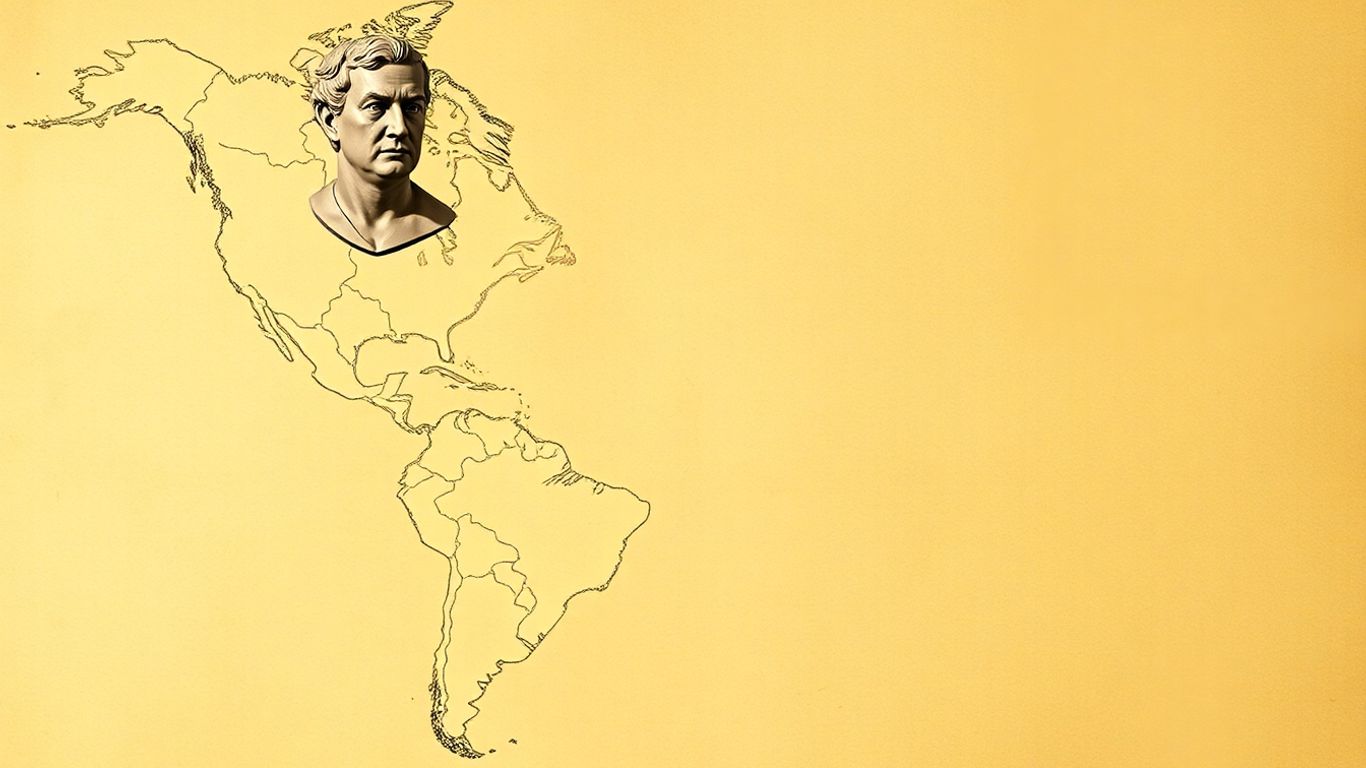
So, what exactly did President Monroe lay out in that 1823 message? It wasn’t just a vague statement; it had some pretty specific points that shaped how the U.S. saw its role in the Americas.
Establishing Separate Spheres Of Influence
Basically, the idea was that Europe and the Americas were two different worlds with different ways of doing things. The U.S. declared that these two spheres should stay separate. This meant Europe shouldn’t meddle in the Americas, and by extension, the U.S. wouldn’t get involved in European squabbles. It was like saying, ‘This side of the street is ours, and that side is yours, let’s keep it that way.’
Prohibiting Future European Colonization
This was a big one. The Doctrine made it clear that the Americas were closed for business when it came to new European colonies. Countries that had already gained independence, or were in the process of doing so, were to be left alone. The U.S. wasn’t going to stand by and watch European powers carve up more territory here. It was a bold statement, especially considering the U.S. didn’t exactly have a massive navy to back it up at the time. Still, it set a clear boundary.
Non-Intervention In European Conflicts
On the flip side, the U.S. promised not to get involved in Europe’s own problems. President Monroe stated that the U.S. would stay out of European wars and internal affairs. This was part of the deal to keep Europe out of the Americas. It was a commitment to neutrality in European matters, aiming to keep the U.S. focused on its own hemisphere and avoid getting dragged into old-world conflicts. This principle was a cornerstone of U.S. foreign policy.
Protecting Newly Independent Nations
This part was about safeguarding the new countries that had broken away from European rule. The Doctrine warned that any attempt by a European power to interfere with the independence or destiny of these nations would be seen as a threat to the United States itself. It was a declaration of protection, though some Latin American leaders at the time viewed it with a bit of skepticism, wondering if it was more about U.S. dominance than genuine protection.
The core idea was to create a distinct American system, free from European interference, and to assert a growing American influence in the Western Hemisphere. It was a declaration of intent, setting the stage for future U.S. actions and its evolving role on the world stage.
Early Reception And Enforcement Challenges
Initial European Disregard For The Doctrine
When President Monroe first announced his doctrine, it didn’t exactly send shockwaves through Europe. Honestly, the major European powers barely gave it a second thought. They were busy with their own stuff and saw the U.S. as a bit of a junior player on the world stage. It was more of a statement of intent from the U.S. than a rule everyone agreed to follow. Think of it like a kid declaring their room is off-limits to parents – it sounds bold, but it doesn’t mean much until the parents actually decide to respect it.
Latin American Perspectives On The Doctrine
For the newly independent nations in Latin America, the Monroe Doctrine was a mixed bag. On one hand, it seemed like a promise of protection against European powers trying to re-establish colonies or interfere. That sounded pretty good, right? But on the other hand, many of these countries were wary. They had just fought hard for their own independence and weren’t too keen on trading one distant ruler for another, even if that ruler was closer by. There was a growing suspicion that the U.S. might have its own agenda, and that this doctrine could eventually be used to control them rather than protect them. It was a bit like being offered a bodyguard who also happens to be eyeing your wallet.
The United States’ Limited Capacity To Enforce
Here’s the real kicker: back in the early days, the U.S. didn’t really have the military muscle to back up Monroe’s big declaration. The navy was small, and the country was still finding its feet. So, while the doctrine sounded tough, its actual enforcement relied more on European powers not wanting to provoke the U.S. too much, or simply not seeing enough benefit in challenging it. It was a bit of a bluff, really. The U.S. was saying, "Don’t mess with this hemisphere," but couldn’t really stop anyone who decided to ignore them. This created a situation where the doctrine was more of a hopeful wish than a hard rule for quite some time.
Evolution And Expansion Of The Doctrine
The Roosevelt Corollary And Asserted Police Power
So, the Monroe Doctrine started out as a pretty clear statement: Europe, stay out of the Americas. But like a lot of things, it didn’t stay that simple. Fast forward to the early 1900s, and the U.S. was feeling a lot more powerful, especially militarily and economically. This is where Theodore Roosevelt comes in with his famous Corollary. Basically, he added a new layer to the doctrine, saying that if countries in Latin America couldn’t manage their own affairs or pay their debts to European powers, the U.S. would step in. It essentially turned the doctrine from a shield against foreign intervention into a justification for American intervention. It was like saying, "We’re not just preventing Europe from messing with you; we’re also going to police the region ourselves if we think it’s necessary." This was a pretty big shift, and it definitely changed how the doctrine was seen and used.
Justification For U.S. Interventionism
This expansion of the Monroe Doctrine, particularly through the Roosevelt Corollary, provided a convenient reason for the United States to get involved in the internal affairs of Latin American countries. Think about it: if a European nation was threatening to intervene because of unpaid debts, the U.S. could argue that it was acting under the Monroe Doctrine to prevent that European intervention. But in practice, it often meant the U.S. taking over customs houses, managing finances, or even sending troops. It was a way to maintain stability, sure, but it also served American interests, like protecting investments and ensuring friendly governments were in power. This period saw a lot more direct U.S. involvement in places like Cuba, Nicaragua, and the Dominican Republic. It was a complex time, and the line between protecting the hemisphere and asserting dominance became pretty blurry.
The Doctrine As A Tool For Expansion
Looking back, it’s clear that the Monroe Doctrine, especially after its expansion, became a significant tool for American influence and, some would argue, expansion. It wasn’t just about keeping European powers at bay anymore. It was about shaping the political and economic landscape of the Americas to align with U.S. objectives. This meant that any challenge to American hegemony in the region could be framed as a violation of the doctrine. The U.S. used it to justify everything from economic agreements to military actions, effectively creating a sphere of influence that was increasingly under its control. This interpretation, however, often caused resentment and mistrust among Latin American nations, who saw it as a form of imperialism rather than protection. The original intent of safeguarding independence seemed to get lost in the shuffle of growing American power and ambition. It’s interesting to see how a policy meant to prevent colonization ended up being used in ways that some viewed as a new form of control, a topic still debated today when looking at U.S. foreign policy identity.
The Monroe Doctrine In Modern Times

Continued Relevance In The 20th Century
The Monroe Doctrine, initially a statement of intent, found its practical application expanding significantly throughout the 20th century. As the United States grew into a global power, its ability to project influence across the Western Hemisphere increased dramatically. This led to a reinterpretation of the doctrine, moving beyond simply preventing European colonization to asserting a broader American hegemony. The doctrine became a justification for U.S. involvement in the political and economic affairs of Latin American nations, often under the guise of maintaining regional stability or protecting American interests.
Shifting Interpretations And Criticisms
By the mid-20th century, the Monroe Doctrine faced considerable criticism, particularly from Latin American countries. What was once seen by some as a shield against European powers was now viewed by many as a tool for American interventionism and a hindrance to their own national sovereignty. The doctrine’s broad language allowed for flexible interpretations, and successive U.S. administrations used it to rationalize actions that were perceived as imperialistic. This period saw a growing sentiment that the "Americans of the north" were prioritizing their own interests over those of their southern neighbors, a sentiment captured by critics who felt the doctrine implied the U.S. saw itself as the sole authority in the Americas.
The Declared End Of The Monroe Doctrine Era
While the principles of the Monroe Doctrine have arguably continued to influence U.S. foreign policy, many officials and scholars have declared its era over. The rise of international cooperation, the decline of overt European colonial ambitions in the Americas, and the increasing assertiveness of Latin American nations have all contributed to this perception. In recent decades, U.S. policy has often emphasized partnership and multilateralism, moving away from the unilateral assertions of power that characterized earlier interpretations of the doctrine. However, the historical weight and the underlying ideas of hemispheric influence continue to be debated.
The legacy of the Monroe Doctrine is complex. While it initially aimed to protect newly independent nations from European recolonization, its later interpretations and applications often led to U.S. interventionism, sparking resentment and challenging the sovereignty of Latin American states. The very idea of a unilateral declaration shaping regional dynamics has become increasingly untenable in a more interconnected and multipolar world.
Enduring Legacy Of The Monroe Doctrine
Shaping Inter-American Relations
The Monroe Doctrine, despite its initial reception and later interpretations, undeniably left a significant mark on how countries in the Americas interacted with each other and with Europe. When it was first announced, it was more of a statement of intent than a policy backed by real power. The United States simply didn’t have the military might to back up President Monroe’s bold words. Still, the idea that the Western Hemisphere was a distinct zone, separate from European affairs, began to take root. This concept, however, often came with a heavy dose of American exceptionalism. Many Latin American nations, while initially appreciating the sentiment against further European colonization, soon found themselves under the growing influence, and sometimes control, of the United States itself. It created a complex dynamic where protection from external powers could also mean subservience to a regional one. The doctrine’s legacy here is mixed; it did help deter some European interference, but it also laid the groundwork for a paternalistic relationship.
Its Role In U.S. Foreign Policy Identity
From its inception, the Monroe Doctrine became a cornerstone of American foreign policy identity. It signaled a desire for the U.S. to be seen as a distinct power, separate from the old European order. This idea of American leadership in the hemisphere became a recurring theme. Think of it like this: once you declare your house is off-limits to certain guests, you kind of feel responsible for what happens inside, right? The U.S. took on that role, sometimes acting as a guardian, other times as a gatekeeper. This self-appointed role shaped how the U.S. saw itself on the world stage – as a regional power with special interests and responsibilities. It was a way to project power and influence without necessarily engaging in direct European-style empire building, at least not initially. This identity was further solidified with later interpretations, like the Roosevelt Corollary, which really amplified the U.S.’s assertive stance.
Debates On Its Lasting Impact
Even today, people debate what the Monroe Doctrine really means and what its lasting impact has been. Was it a genuine attempt to protect nascent republics, or was it a thinly veiled excuse for American expansion and dominance? The historical record shows elements of both. While it did prevent some European powers from further colonization, it also provided the justification for numerous U.S. interventions in Latin American countries throughout the 20th century. This has led to a lot of criticism, with many arguing that the doctrine was used to undermine the sovereignty of its neighbors. It’s a complicated history, and understanding it requires looking at the doctrine not just as a single policy, but as an evolving idea that was adapted to fit different U.S. foreign policy goals over nearly two centuries. The official end of the doctrine in 2013 by Secretary of State John Kerry marked a significant shift, but the debates about its historical role and influence continue. It’s a good example of how historical policies can have long shadows, influencing current relationships and perceptions. If you’re interested in how historical ideas can shape modern influence, you might find exploring how to become a TikTok Shop affiliate interesting, as it shows a new way to build influence and connect with audiences today.
The Enduring Echo of the Monroe Doctrine
So, looking back, the Monroe Doctrine started out as a pretty bold statement from a young nation wanting to keep European powers out of the Americas. It was meant to protect newly independent countries. Over time, though, it really morphed. What began as a defensive idea, especially with things like the Roosevelt Corollary, turned into a justification for the U.S. to get involved in Latin American affairs, sometimes in ways that weren’t exactly welcomed. Even though some say its era is over, the ideas behind it, and how it shaped U.S. foreign policy for so long, still echo today. It’s a complex legacy, for sure, showing how a single declaration can have ripple effects for centuries.
Frequently Asked Questions
What exactly was the Monroe Doctrine?
Think of the Monroe Doctrine as a declaration made by U.S. President James Monroe back in 1823. Basically, he said that European countries should stop trying to colonize or interfere with the newly independent nations in North and South America. It was like the U.S. saying, ‘This side of the world is off-limits for European powers.’
Why did the U.S. create the Monroe Doctrine?
The U.S. was worried that European countries, especially after Napoleon’s defeat, might try to take back control of the Latin American countries that had just won their freedom. The U.S. also wanted to prevent European powers from expanding their influence and potentially threatening American security and interests in the Western Hemisphere.
Did European countries pay attention to the Monroe Doctrine at first?
Honestly, not really. When President Monroe first announced it, most powerful European nations didn’t take it very seriously. The U.S. at the time didn’t have a strong military to back up the declaration, so it was more of a statement of intent than a rule that could be enforced.
How did the Monroe Doctrine change over time?
Over the years, the U.S. grew much stronger. The most significant change was the ‘Roosevelt Corollary’ in 1904. This basically said the U.S. could step in and act like a police force in Latin American countries if they were having problems that might attract European intervention. This led to more U.S. involvement in the region.
Is the Monroe Doctrine still in effect today?
Officially, the U.S. government stated in 2013 that the ‘era of the Monroe Doctrine is over.’ While its direct application has ended, the ideas it represented about U.S. influence in the Americas and its role in hemispheric affairs continue to be discussed and debated.
What was the impact of the Monroe Doctrine on Latin America?
Latin American countries had mixed feelings. Some welcomed the idea of protection from European powers. However, many later saw the Doctrine, especially with the Roosevelt Corollary, as a justification for U.S. interference in their own affairs, which caused resentment and distrust.
-
Fyodor Dostoevsky, a name synonymous with profound psychological insight and philosophical depth, walked the streets of 19th-century St. Petersburg not just as a novelist, but as a philosopher, psychologist, and prophet. His works anticipated many of the greatest discoveries of the 20th century, from Freud’s exploration of the unconscious to the existentialists’ declaration that existence precedes essence. Dostoevsky’s novels and stories offer unparalleled insights into human nature, grappling with the deepest questions that have haunted humanity since the dawn of time: Why do we suffer? What does it mean to be free? How can we find meaning in an apparently meaningless universe? What is the relationship between good and evil? Can we create a perfect society? Does God exist, and how do we explain innocent suffering?
Dostoevsky’s philosophical journey was forged in the crucible of personal suffering. He faced a death sentence, endured hard labor in Siberia, battled epilepsy and gambling addiction, and lived in poverty. This intimate knowledge of suffering lent his insights an authenticity that purely academic philosophers could never achieve. Yet, he was also a man of immense intellect, deeply engaged with the philosophical, theological, and political currents of his time. He saw the dangerous trajectory of materialism, atheism, socialism, and scientific rationalism, dedicating his life to warning humanity and pointing toward a different path.
His philosophy is not a dry academic theory but a living, breathing exploration of the human soul, dramatized through unforgettable characters and haunting stories. It is a philosophy born from suffering, refined by genius, and offered as a gift to anyone willing to grapple with the deepest truths of human existence.
Key Takeaways
- Human Freedom is Sacred and Terrible: Dostoevsky viewed freedom not as a political concept but as the metaphysical foundation of human existence, the terrifying ability to choose between good and evil, even against one’s own self-interest. We are condemned to be free, and this burden is the source of anxiety and existential terror.
- The Underground Mind: He depicted the modern consciousness as alienated, paralyzed by excessive self-awareness, and incapable of genuine connection or action. This "underground man" represents the neurotic individual trapped in a cycle of overthinking and self-consciousness.
- The War Against Rationalism: Dostoevsky critiqued the 19th century’s faith in reason and science, arguing that they fundamentally misunderstood human nature, which is driven by irrational emotions and spiritual needs, not just logic. He warned that materialism leads to nihilism and the devaluation of human life.
- The Psychology of Evil: Evil, for Dostoevsky, originates not from ignorance or social conditions but from the human heart itself. It is an inevitable consequence of freedom, and its potential exists within everyone.
- Innocent Suffering and Rebellion: The problem of innocent suffering, particularly the suffering of children, tormented Dostoevsky. His character Ivan Karamazov’s rebellion against God stems from the moral impossibility of accepting a universe that permits such agony.
- Freedom vs. Security: The Grand Inquisitor parable illustrates the eternal tension between the burden of freedom and the desire for security, predicting the appeal of totalitarian regimes that offer comfort and certainty at the cost of liberty.
- Russian Orthodoxy’s Unique Path: Dostoevsky saw Russian Orthodoxy as preserving the authentic Christian spirit of humility and suffering, contrasting it with what he viewed as the corrupted, power-seeking nature of Western Christianity.
- Love as Ultimate Reality: Love, in its most profound sense, is the cosmic principle that holds the universe together, manifesting in suffering and sacrifice. It is the redemptive force that can transform even the darkest souls.
- Prophecy of Totalitarianism: He accurately predicted the rise of totalitarian movements, understanding their roots in the collapse of traditional beliefs and their appeal to those seeking meaning and purpose in a secularized world.
- The Birth of Existentialism: Dostoevsky explored themes of absurdity, freedom, anxiety, and the search for authentic selfhood long before existentialism became a formal philosophical movement, grounding his ideas in a spiritual struggle.
- The Unconscious Mind: Decades before Freud, Dostoevsky mapped the hidden drives and unconscious conflicts that motivate human behavior, revealing the complex, often contradictory nature of the human psyche.
- Rejection of Western Civilization: He believed Western civilization’s embrace of rational materialism and individualism led to spiritual emptiness, advocating for a "return to the soil" rooted in traditional Russian Orthodox values.
- The Eternal Struggle: The core of Dostoevsky’s philosophy is the ongoing battle between faith and doubt, and the transformative power of suffering, offering a vision of humanity that is both deeply challenging and ultimately redemptive.
The Sacred Foundation Of Human Freedom
For Dostoevsky, freedom wasn’t about political rights or economic systems. It was the very essence of human existence, what separates us from animals and machines. It’s the terrifying, precious gift that allows us to choose between good and evil, to act against our own self-interest, even to destroy ourselves for no rational reason. We can’t give up this freedom, even when we try to surrender it to authority. This freedom haunts every moment, making us "condemned to be free." Without it, goodness would be meaningless; a robot programmed to be good isn’t morally praiseworthy. Only a being who could choose evil but chooses good deserves moral credit. However, most people find this burden too much. They escape it by surrendering to leaders, adopting rigid ideologies, or seeking distractions. This creates a fundamental tragedy: the very thing that makes us human is what we most want to escape. Dostoevsky illustrates this with the "underground man," who sabotages his own happiness simply to prove he’s not a machine programmed for it. He’d rather suffer as a free being than be happy as a slave. This perversity means any system trying to perfect humans by removing free choice is doomed to fail.
But Dostoevsky also shows us positive freedom through characters like Alyosha Karamazov and Prince Myshkin. They freely choose goodness, compassion, and self-sacrifice, not because they’re programmed to, but through immense spiritual strength and courage. This higher freedom isn’t easy; it requires willingness to suffer and a constant choice, moment by moment. It’s a spiritual category, coming not from external freedom but internal grace – the freedom to love, forgive, and hope even when it seems impossible. Suffering, Dostoevsky argued, is often the only way we learn to exercise freedom responsibly. It breaks down our illusions, forces us to confront deep questions, and opens our hearts to redemption.
The Underground Mind And Modern Consciousness
Dostoevsky’s "underground man" is the archetypal figure of modern alienation. This character, a former civil servant who withdraws from society, is a prophetic vision of consciousness in the modern world – a man whose intelligence has become his curse, paralyzing him with self-awareness. He’s "sick" with excessive consciousness, seeing the futility of existence and unable to connect naturally with others. Unlike people in earlier ages who acted on instinct or faith, the underground man is exposed to modern thought and cannot accept anything without endless analysis. He suffers from "analysis paralysis," knowing what he should do but being unable to act because he overthinks every motive and consequence.
This excessive consciousness also destroys his ability to feel genuine emotions. Every feeling is dissected, critiqued, and distorted until the original emotion is lost, replaced by self-hatred or resentment. He becomes alienated from himself, his mind constantly observing and judging his own thoughts and feelings. This internal division makes authentic self-expression impossible. Socially, he’s crippled by anxiety, interpreting every interaction as rejection. He desperately wants connection but his self-consciousness makes it impossible, leading to isolation and elaborate theories justifying his solitude. He exhibits cognitive dissonance, holding contradictory beliefs and desires, acting irrationally despite valuing reason. His mind is modernized, but his heart yearns for meaning, connection, and transcendence. Dostoevsky suggests this crisis is ultimately spiritual, requiring a reorientation of the soul towards something greater than the ego, a rediscovery of wonder and reverence, achievable only through grace.
The War Against Rationalism And Scientific Materialism
Dostoevsky saw the 19th century’s faith in reason, science, and utopian social planning as a dangerous delusion leading humanity toward spiritual catastrophe. Rationalists assumed people were logical beings driven by self-interest, believing that improving education and social conditions would automatically fix human behavior. Dostoevsky argued this was a catastrophic misreading. Humans are not primarily rational; we are emotional, spiritual, and often irrational, acting against our own interests for complex psychological reasons. Characters like Raskolnikov (murder for theory), the underground man (sabotaging happiness for freedom), and Ivan Karamazov (rejecting God due to suffering) demonstrate this. Their actions are driven by deep psychological needs, not rational calculation.
This insight has dire implications for utopian schemes. If people don’t behave rationally, rational planning fails. If unconscious forces drive behavior, education alone won’t suffice. If people choose suffering for existential reasons, material improvements won’t guarantee contentment. Dostoevsky argued that excessive reliance on reason actually worsens problems by cutting people off from their emotional and spiritual depths, leading to alienation and a loss of meaning. Scientific materialism is even more dangerous. Viewing humans as mere machines devalues dignity and responsibility. If behavior is determined by genetics and neurology, concepts like free will and morality become meaningless, leading to nihilism – the belief that nothing has ultimate value. This worldview justifies ruthlessness and exploitation, paving the way for totalitarianism. Dostoevsky believed that rationalism and materialism fail to satisfy deep human needs for meaning, beauty, and love, leaving people spiritually starved. His alternative wasn’t irrationalism but a balance of reason with faith, emotion, and spiritual intuition, often forged through suffering, which breaks down pride and opens us to grace and transformation.
The Psychology Of Evil And Human Darkness
Dostoevsky’s most disturbing insight was that evil doesn’t primarily come from ignorance or bad circumstances, but from the human heart itself. In 19th-century Russia, intellectuals believed human nature was good and evil stemmed from corrupt institutions. Dostoevsky, having witnessed extreme cruelty in a Siberian prison camp, knew better. He saw criminals who committed crimes not out of necessity, but out of choice – some for the thrill, others for self-assertion, and some to experience the ultimate transgression. What disturbed him most was that these criminals were recognizably human, possessing the same capacity for reason and morality as anyone else. This meant the potential for evil existed in everyone.
We aren’t blank slates; we have contradictory impulses, including a genuine impulse toward evil. Every person holds the capacity for both saintliness and criminality. Which path we take depends on our moral choices. Raskolnikov in Crime and Punishment murders not out of poverty, but to prove he’s extraordinary enough to transcend morality. His rationalizations hide a deeper psychological need for power and self-assertion. Dostoevsky shows how intellectual sophistication can mask moral blindness, a dangerous combination seen in many modern movements. Evil often arises not from dramatic failures but from small, gradual compromises: lies, selfishness, ignoring injustices. These erode moral judgment, leading to numbness and enabling serious evil. Smerdyakov in The Brothers Karamazov, shaped by cynicism and hypocrisy, develops a nihilistic philosophy justifying his father’s murder. Ultimately, Dostoevsky believed evil is an inevitable consequence of human freedom. The freedom to choose good inherently includes the freedom to choose evil. While we must combat evil, we shouldn’t expect to eliminate it entirely. Attempts to do so through social engineering often create worse evils, as seen in Demons, where revolutionary ideals lead to terror and destruction. The only realistic response, Dostoevsky argued, is individual moral and spiritual transformation – confronting the capacity for evil within ourselves and struggling against it.
The Problem Of Innocent Suffering And Ivan’s Rebellion
Few philosophical problems tormented Dostoevsky more than the existence of innocent suffering. How could a loving, all-powerful God permit children to be tortured and killed? How could divine justice exist in a world filled with undeserved pain and random cruelty? While theologians offered explanations about free will or divine providence, Dostoevsky, intimately familiar with suffering, presented the problem in its starkest, most devastating form. Ivan Karamazov, in The Brothers Karamazov, articulates this rebellion most powerfully. A brilliant intellectual, Ivan collects horrific accounts of children being tortured – a five-year-old beaten and forced to eat excrement, a boy torn apart by dogs, babies impaled on bayonets. These aren’t abstract examples but real suffering that renders theological explanations meaningless.
Ivan’s question is simple yet devastating: How can we accept a God who hears such prayers and does nothing? He rejects any explanation that justifies such suffering, finding any cosmic harmony built on innocent agony morally obscene. He doesn’t necessarily reject God’s existence but rebels against the universe God created, refusing to accept a ticket to a world where such suffering is permissible. This is a moral argument against the universe itself. Ivan’s rebellion culminates in "The Grand Inquisitor" parable. Here, Jesus returns, but the Grand Inquisitor arrests him, arguing that Jesus wrongly offered humanity freedom, a burden most cannot bear. The Church, he claims, has corrected this by offering security, certainty, and relief from responsibility. The Inquisitor reinterprets Satan’s temptations: bread (material security), miracle (certainty), and dominion (authority). Jesus rejected these, but the Inquisitor argues most people need them to live. The Church provides them, making humanity happier, though at the cost of freedom. This parable highlights the tension: does God’s love permit suffering for the sake of freedom, or is that a form of cosmic cruelty? Dostoevsky doesn’t offer easy answers but shows the human cost of Ivan’s rebellion – nihilistic despair. The alternative is Alyosha, who trusts God’s goodness despite the evidence, responding to suffering with love and compassion, not intellectual analysis.
The Grand Inquisitor And The Choice Between Freedom And Security
Ivan Karamazov’s "Grand Inquisitor" parable, a story within a story, is perhaps Dostoevsky’s most potent political allegory. Set in 16th-century Spain, Jesus returns and performs miracles, only to be arrested by the Grand Inquisitor, the head of the Church. The Inquisitor visits Jesus in prison, explaining why the Church must reject him. His argument is chillingly logical: Jesus offered freedom, but humanity is too weak and ignorant to bear it. Most people crave security, certainty, and relief from the burden of choice. The Church, he claims, has corrected Jesus’s mistake by providing what people truly want: material security (bread), undeniable miracles (certainty), and strong authority (dominion). By rejecting Satan’s temptations in the wilderness, Jesus doomed most people to suffering and doubt.
The Inquisitor argues the Church, by embracing these temptations, has created a happier, more peaceful humanity. They’ve made the choices for people, provided authoritative answers, and eliminated moral ambiguity. This system, he contends, is more loving than Jesus’s original plan, which only suited a spiritual elite. The parable resonates because it taps into a cynical but plausible view of human nature: many prefer security over freedom, certainty over truth, and strong leaders over democratic responsibility. Dostoevsky wrote this decades before totalitarianism, yet it perfectly describes its appeal. Fascist and communist regimes offered bread, miracle (ideology), and authority, seducing millions with relief from freedom’s burden. The parable warns that democracy is fragile because it demands difficult choices and responsibility, which many would rather avoid. The Inquisitor’s vision is a psychological appeal to authoritarianism. However, the parable doesn’t end with the Inquisitor’s monologue. Jesus silently kisses the old man, an act of love that moves the Inquisitor but doesn’t change his mind. He releases Jesus, telling him never to return. This suggests the choice between freedom and security can’t be resolved by argument. It’s a fundamental decision about human potential. Jesus represents faith in freedom; the Inquisitor, a compassionate realism about human limitations. Dostoevsky shows this choice is always before us, individually and collectively, with profound consequences.
Russian Orthodox Christianity Versus Western Religion
Dostoevsky believed the conflict between different forms of Christianity was a battle for humanity’s soul. He saw Western Christianity (Catholic and Protestant) as having betrayed Christ’s original message by pursuing worldly power and intellectual respectability, losing touch with spiritual essence. Only Russian Orthodoxy, he argued, preserved the authentic Christian spirit of humility, suffering, and mystical union with God. His critique of Catholicism was harsh; he viewed the Catholic Church as a continuation of the Roman Empire, prioritizing political power over spiritual truth. It had replaced love and humility with law and coercion, rational theology with mystical experience. The Grand Inquisitor, for Dostoevsky, symbolized Catholicism – genuinely believing it serves humanity by removing the burden of spiritual freedom, but ultimately betraying Christ’s message by removing freedom itself.
He saw Protestantism as even more problematic, carrying Western Christianity’s logic to its extreme. Rejecting papal authority led to individualism and relativism, making religion a purely private matter and paving the way for secularization and atheism. Socialism, in his view, was the ultimate Western heresy, attempting to create heaven on earth through human effort, eliminating God and replacing Him with human reason. Against these deviations, Dostoevsky championed Russian Orthodoxy. It never sought worldly power, preserved mystical traditions, and embraced suffering as essential for spiritual growth. Orthodox believers understood the spiritual life as humility, suffering, and union with God, not intellectual achievement. They saw the Church as a community of sinners seeking redemption. This emphasis on suffering, humility, and kenosis (self-emptying love) was central. Characters like Alyosha Karamazov and Father Zosima embodied these ideals, demonstrating spontaneous love and compassion. Dostoevsky’s vision also carried a dangerous nationalist undertone: Russia, through Orthodoxy, had a messianic mission to save the world from Western materialism. This combination of spiritual insight and nationalist fantasy had profound, and at times, terrible consequences.
Love As The Ultimate Reality And Redemptive Force
At the heart of Dostoevsky’s philosophy lies a radical claim: love is not just an emotion but the fundamental force holding the universe together, the ultimate reality. This isn’t sentimental love but a cosmic principle manifested in suffering, sacrifice, and bearing the pain of others. For Dostoevsky, this ultimate love is identical with God, and the capacity for it makes humans redeemable. His own experiences in Siberia, witnessing both cruelty and unexpected compassion, convinced him that beneath selfishness lies a deeper reality of universal love. True love, paradoxically, emerges through accepting suffering. Those who avoid pain can’t develop the spiritual depth for genuine love. Love often appears as tragedy – Prince Myshkin’s pure, selfless love is tragic because the world isn’t ready for it, yet it plants seeds for the future. Alyosha Karamazov represents a more practical love, responding with specific acts of compassion. Characters like Raskolnikov and the underground man, trapped in their subjectivity, lack this genuine connection, their intelligence becoming a prison. Dostoevsky saw modern civilization, with its emphasis on individualism and materialism, as fostering isolation, making true love almost impossible. The alternative is sobornost, a Russian Orthodox concept of spiritual unity through love, a mystical participation in divine love that transcends ego boundaries. Father Zosima embodies this, teaching that all are responsible for each other. However, Dostoevsky didn’t present love as an easy solution. True love requires sacrifice and often leads to apparent failure. It doesn’t eliminate evil but transforms its meaning. He also warned against corrupted love: possessive, sentimental, or ideological love. The ultimate test is forgiveness – loving enemies and seeing the divine in everyone. This capacity for love and forgiveness is the mark of human dignity and the answer to life’s meaning.
The Prophecy Of Totalitarianism
Writing decades before fascism and communism, Dostoevsky accurately predicted the rise and appeal of totalitarian movements. In Demons, he envisioned revolutionary terrorism, anticipating the tactics and psychology of 20th-century extremism. His insight went deeper: he understood the spiritual and psychological roots of totalitarianism, seeing it emerge not from traditional authoritarianism but from the collapse of traditional beliefs. Unlike old tyrants who ruled by force, modern totalitarians claim to represent the people, promising to eliminate suffering and create perfect societies. This makes their tyranny more insidious. Dostoevsky linked this to materialism (humans as machines to be controlled), rationalism (intellectuals imposing their plans), and atheism (moral values as arbitrary constructs). This ideology justified treating humans as raw material, overriding individual preferences for supposed collective goals. The result: unprecedented cruelty justified by abstract ideals. Revolutionary movements, he noted, appeal to educated youth who’ve lost faith but still crave meaning, functioning as substitute religions. But these movements inevitably become tyrannical. The logic that justifies revolution also justifies control. Shigalov in Demons exemplifies this: his pursuit of perfect equality leads to eliminating individual freedom, creating an elite ruling a subservient mass. Totalitarianism promises liberation but delivers enslavement, beginning with humanitarian goals but ending in atrocities. This isn’t a corruption of good intentions but the inevitable outcome of denying human dignity and transcendent truth. Dostoevsky also foresaw terror not just as a tool but as psychological manipulation, breaking down resistance by destroying independent thought and moral judgment. This process anticipates modern psychological manipulation. Ultimately, totalitarianism is religious in nature, demanding faith and offering salvation, creating populations satisfied with their oppression because their capacity for independent thought is destroyed. It’s the triumph of the Grand Inquisitor’s vision over Christ’s.
The Birth Of Existentialism And The Divided Self
Dostoevsky was a precursor to existentialism, exploring its core themes decades before the movement formally emerged. Characters like the underground man, Raskolnikov, and Ivan Karamazov grappled with the absurdity of existence, the burden of freedom, the anxiety of choice, and the search for authentic selfhood in a meaningless universe. However, Dostoevsky’s existentialism was distinct; it was rooted in a profound spiritual struggle, not a rejection of spiritual possibilities. For him, confronting meaninglessness was the start of a deeper search for transcendent meaning.
The underground man embodies the existentialist hero: acutely aware of his radical freedom and responsibility, yet paralyzed by it. He recognizes human values are constructs and reason is insufficient, but instead of embracing freedom, he retreats into isolation. This shows what happens when existential insights are divorced from a spiritual framework; freedom becomes a curse. Dostoevsky also masterfully depicted the "divided self." His characters are not unified personalities but battlegrounds of conflicting impulses. Raskolnikov contains both saint and sinner; Ivan, believer and atheist; the underground man, critic and failure. This reflects the modern psychological understanding of personality as fragmented. This division creates "authenticity problems": which self is true? Dostoevsky’s characters grapple with this, trying to achieve unified selfhood, often failing because the division is inherent to consciousness. Yet, this division is also an opportunity: self-awareness enables moral growth, and the capacity for self-observation allows for self-knowledge and repentance. The freedom to choose evil also means the freedom to choose good. The existential tension is heightened by the awareness of mortality. If death makes everything meaningless, why do any choices matter? Yet, if life is short, every choice is urgent. Prince Myshkin, with his experience of the "eternal moment," lives with complete presence but struggles in ordinary reality. Dostoevsky’s influence on later existentialists like Kierkegaard, Nietzsche, and Sartre is undeniable, though often unacknowledged. His work offered a more hopeful, spiritually grounded existentialism, suggesting that confronting meaninglessness can lead to authentic faith, not just nihilism.
The Psychology Of The Unconscious And Human Motivation
Long before Freud, Dostoevsky delved into the unconscious mind, revealing hidden drives and repressed desires that motivate human behavior. His novels are psychological case studies, anticipating psychoanalytic theory. He understood that people rarely act for the reasons they claim; their conscious explanations often mask deeper, unconscious motivations. Raskolnikov’s murder isn’t just about theory but a need for power; the underground man’s isolation isn’t about others’ inferiority but fear of rejection; Ivan Karamazov’s atheism stems from an emotional inability to accept innocent suffering. This insight challenged the era’s assumptions about human nature, suggesting rational arguments and moral exhortations are often ineffective if unconscious drives prevail.
Dostoevsky brilliantly depicted defense mechanisms: rationalization, projection, denial, compensation, and sublimation. The underground man, aware of his own mechanisms, is still trapped, his self-analysis becoming a pathology. He anticipated how trauma influences adult behavior (Smerdyakov’s hatred, Nastasya Filippovna’s self-destruction) but never presented it as a complete excuse, preserving the possibility of moral responsibility and redemption. Guilt and conscience are powerful forces, driving self-punishment (Raskolnikov’s illness, the underground man’s misery) but can also be pathological, leading to self-hatred. True redemption, he suggested, requires transformation through grace, not just eliminating guilt. His analysis of love and sexuality revealed psychological projections and the use of others to fulfill internal conflicts. Characters like Myshkin and Dmitri Karamazov are driven by complex unconscious needs. Dostoevsky also explored the will to power, the need for control compensating for inadequacy, seen in Raskolnikov’s theories and Ivan’s atheism. Crucially, he understood suffering’s psychological function: it can validate one’s sense of being special, provide meaning, appease guilt, and foster spiritual growth. His work offers a form of psychological healing, providing corrective emotional experiences that help readers understand themselves and maintain hope for transformation.
The Rejection Of Western Civilization And The Return To Soil
Dostoevsky believed Western civilization, with its focus on rational materialism, individual autonomy, and technological progress, was leading humanity toward spiritual catastrophe. He saw Western societies as materially prosperous but spiritually empty, morally confused, and socially fragmented. Russia, he argued, could avoid this fate by rejecting Western ideas and embracing its own roots: Orthodox Christianity, traditional peasant values, and a "return to the soil."
His critique of the West was sweeping. Western Christianity, he felt, had become corrupted by its alliance with political power and rational theology, losing its mystical essence. Western philosophy had abandoned truth for analysis, politics for artificial contracts, and economics for mere transactions. The core error, he believed, was the assumption that human reason alone could solve all problems, ignoring the irrational aspects of human nature. This led to systems that failed to account for deep psychological needs. Dostoevsky’s proposed alternative, the "return to the soil," wasn’t just about rural life but a spiritual and cultural renewal. It emphasized sobornost (mystical community), concordia (spiritual consensus), humility, and suffering love – values he saw preserved in the Russian peasantry. His Siberian prison experience showed him that even criminals possessed a spiritual depth often lacking in the educated elite. He believed the Russian people held a unique spiritual wisdom that could save the world. However, he also recognized Russia’s own corruption by Western influences. True renewal required not just rejecting foreign ideas but a conscious spiritual transformation of education, culture, and social organization, prioritizing Orthodox principles over Western models. This path, he warned, was crucial to avoid humanity’s descent into spiritual death, where science and technology would advance, but humans would become less human, souls more empty. Russia’s mission, he felt, was to show the world a path to modernity that was also spiritual, a balance of progress with tradition.
The Eternal Struggle: Faith, Suffering, And Dostoevsky’s Vision For Humanity
At the core of Dostoevsky’s philosophy lies the eternal struggle between faith and doubt, a battle reason alone cannot resolve. Coupled with his revolutionary understanding of suffering as the crucible for spiritual growth, these insights form the bedrock of his enduring legacy. This isn’t just an intellectual debate about God’s existence; it’s an existential crisis. Suffering, for Dostoevsky, isn’t an accident but a transformative force. His own life—imprisonment, loss, illness—tested his faith profoundly, teaching him that extreme suffering could lead to spiritual insight. He witnessed both immense cruelty and extraordinary kindness among prisoners, realizing that deep wisdom and compassion often emerge from unavoidable pain.
His greatest characters embody this struggle. Ivan Karamazov presents a powerful case for atheism, unable to accept a God who permits innocent suffering. Yet, his rebellion leads to nihilism. His brother, Alyosha, chooses faith despite contradictory evidence, freeing him to act with love and compassion. Characters like Sonia Marmeladova and Father Zosima exemplify redemptive suffering: Sonia maintains purity despite degradation, and Zosima teaches shared responsibility for suffering, transforming pain into wisdom. However, suffering can also be destructive, as seen in the underground man’s bitterness or Smerdyakov’s murderous rage. The key is the spiritual attitude: redemptive suffering requires "active love"—bearing others’ burdens willingly. Prince Myshkin embodies this Christ-like innocence, though his goodness is tragically ineffective in a flawed world. Dostoevsky’s prophetic vision extends to politics: the Grand Inquisitor’s desire for security over freedom foreshadowed totalitarianism. His psychological insights anticipated discoveries about the unconscious, the divided self, and the limitations of secular psychology. His core message is that true healing is spiritual, not just technical. In a world losing traditional meaning, his work offers hope, showing that faith is an existential choice, a trust in ultimate meaning despite doubt. Dostoevsky’s legacy is his unflinching honesty about life’s complexity, combined with ultimate hope for human transformation. He challenges us to face reality, embrace freedom’s cost, love unconditionally, and forgive, demonstrating that even in darkness, love, truth, and spiritual reality can prevail, offering a path to authentic meaning and fulfillment.
-
For centuries, the world has largely revolved around a Western-centric view, shaped by maritime powers and their control over global trade routes. However, a significant shift is underway, with Eurasian powers like Russia and China forging new connections and challenging the established order. This transformation marks a move away from a Western-dominated globe towards a more multipolar Eurasia.
Key Takeaways
- The historical dominance of maritime powers is being challenged by the rise of land-based Eurasian connections.
- Russia’s strategic pivot away from Europe towards Asia signifies a major geopolitical realignment.
- China’s Belt and Road Initiative and other Eurasian integration projects are reshaping global trade and infrastructure.
- The West’s attempts to maintain hegemony are inadvertently strengthening Eurasian cooperation.
- Geography continues to play a critical role in shaping global power dynamics.
The Age of Maritime Dominance
For about 500 years, European maritime powers have connected the world, starting in the early 16th century. Before that, the ancient Silk Road connected Eurasia through land and sea routes, facilitating the exchange of goods, ideas, and technology. This ancient network was decentralized, often managed by nomadic groups. The Mongol Empire was the last major force to maintain these routes before their decline in the 14th century.
The rise of explorers like Columbus and Magellan ushered in a new era. European maritime powers centralized control over key ports and shipping lanes, creating a system where controlling choke points was more important than conquering territory. This led to a more exploitative relationship with other parts of the world, as noted by Adam Smith, who hoped for a future with less power inequality.
This maritime dominance eventually led to the Pax Britannica in the 19th century, where Britain controlled the seas and thus global trade. This hegemony later passed to the United States, which continued to control these vital sea lanes. Britain also gained a significant advantage through the Industrial Revolution and its financial power, further solidifying its global position.
The Great Game and the Heartland Theory
By the 19th century, a new geopolitical reality emerged. Russia’s attempt to reach British India through Central Asia during the Napoleonic Wars showed that land powers could also pose a significant threat to maritime dominance. This sparked the "Great Game," a prolonged rivalry between Britain and Russia for control over Central Eurasia.
The Crimean War (1853-1856) highlighted Russia’s industrial and infrastructural weaknesses, leading to major reforms and rapid industrialization, including the construction of railroads across Central Asia. These railroads often followed the paths of the ancient Silk Road, extending Russian influence.
Meanwhile, in Britain, the "Heartland Theory" was developed by Halford Mackinder. He argued that controlling Eastern Europe was key to dominating the "world island" of Eurasia, and thus, the world. Mackinder warned that the development of transcontinental railways could shift power away from maritime nations towards land-based powers, a significant threat to British hegemony.
This theory heavily influenced British and later American geopolitical strategy. The US adopted a policy of "Eurasian containment," aiming to prevent any single power from dominating the Eurasian landmass. This involved maintaining military presence on Eurasia’s periphery, both in Europe and the Pacific.
Russia’s Western-Centric Path and the US Response
Following the Bolshevik Revolution and the establishment of the Soviet Union, Russian émigrés like Petr Savitsky developed "Eurasianism." They argued that a Russo-German alliance would be ideal to counter maritime powers and that Russia should embrace its Eurasian identity rather than trying to be a Western European maritime power. They believed maritime powers relied on "divide and rule" strategies to maintain control, and Eurasian powers should seek cooperation.
For centuries, Russia had attempted to modernize by looking west, a strategy that often led to its access to maritime routes being restricted. After the collapse of the Soviet Union, Russia continued this Western-centric approach, pursuing a "Greater Europe" project. However, this weakened Russia and presented an opportunity for the US to solidify its hegemonic position.
The US "Wolfowitz Doctrine" (1992) aimed to prevent any potential rival from emerging in Eurasia. This strategy involved maintaining security dependence on the US and preventing integration between major Eurasian powers like Germany and Russia. Zbigniew Brzezinski, a key strategist, emphasized the need to keep Eurasian powers divided and maintain US security dependence, viewing Russia as a "geostrategic black hole" that could be exploited.
US-led initiatives, like pipeline projects, were designed to sever Central Asia from Russia and China, reinforcing a hegemonic vision of Eurasia.
The Pivot to Greater Eurasia
Around 2014, two major events signaled a shift in the global order. The NATO-backed coup in Ukraine ended Russia’s hopes for integration into a "Greater Europe," positioning Ukraine as a frontline against Russia. Simultaneously, China, having gained significant economic power, began challenging the US-led international system.
China launched the Belt and Road Initiative (BRI) in 2013, aiming to revive the Silk Road through extensive infrastructure development. Ambitious industrial policies like "Made in China 2025" and the establishment of new financial institutions like the Asian Infrastructure Investment Bank (AIIB) further signaled China’s growing influence.
With both Russia and China losing faith in the US-led system, a new "Greater Eurasia" concept began to emerge. Russia abandoned its Western-centric policies and embraced cooperation with China. This pivot, driven by Western efforts to isolate Russia, pushed it further East, creating a powerful Eurasian bloc that Mackinder had warned about.
The BRI connects Eurasia through railways, highways, and seaports, fostering trade, industrial cooperation, and the use of national currencies. This multipolar approach offers an alternative to a single center of power. Russia is also developing its own projects, like the East-West corridor along the Trans-Siberian Railway and the Northern Sea Route along the Arctic, offering faster and cheaper transportation outside US Navy control.
Harmonizing Interests in a Multipolar World
Russia and China, along with other Eurasian nations like Iran and India, are pursuing various integration initiatives. While these projects differ, they share a common goal: improving relations and finding political solutions to connect the continent. No single power can impose its will; instead, interests must be harmonized.
Western assumptions that Russia and China would clash over Central Asia have not materialized. Instead, they are working towards a multipolar system, harmonizing their efforts within organizations like the Shanghai Cooperation Organization (SCO) and BRICS. These initiatives now encompass not just physical infrastructure but also digital and energy corridors, technological partnerships, and the use of national currencies for trade.
The alternative to this Eurasian multipolar system is what could be described as an "empire of chaos," reliant on alliance systems and perpetual conflict, designed to keep Eurasian powers divided.
The Decline of Hegemony and the Rise of Eurasia
US global primacy, while still significant, is not sustainable and is in decline. A weakening hegemon often becomes more aggressive, resorting to economic and proxy wars, as seen in the US tech war against China and the conflict in Ukraine. The West’s attempts to seize Russian sovereign funds, while intended to prevent rivals, are instead incentivizing other nations to seek economic partnerships within the Eurasian framework.
The West’s resistance to Eurasian cooperation stems from a desire to preserve maritime power dominance, failing to recognize that the geopolitical landscape has changed. Russia no longer has the capacity or intention to dominate Eurasia; the threat is now a multipolar system. The US’s insistence on a hegemonic model, rather than a balance of power, leads to strategic missteps.
Actions like seizing Russian central bank funds and attacking Chinese tech companies are making the world wary of the Western financial system and supply chains, pushing nations towards alternatives. This tribal mindset in the West, where dissent is seen as siding with adversaries, leads to narratives detached from reality.
Europe has much to gain by embracing multipolar realities and adjusting to the new international distribution of power. However, there’s a reluctance to accept these changes. As Machiavelli noted, people often see things not as they are, but as they wish them to be, leading to ruin.
In Russia, sentiments are shifting, echoing Dostoevsky’s observation that Russians are both Asiatic and European. The mistake of the past two centuries, he suggested, was trying to be "true Europeans" and earning only hatred. The future, it seems, lies in Asia. Geography, as always, matters, and a new Eurasian world order is taking shape, with efforts to prevent it only accelerating its development.
-
It seems like the United States is on the verge of another regime change war, and this time it’s aimed at Venezuela. A US naval armada is heading towards the South American country, with the stated goal of forcing its leader, Nicolas Maduro, to step down. If he doesn’t, the US is threatening to invade.
This isn’t the first time the US has considered such an action. We narrowly avoided a similar situation with Iran back in June. But now, we’re facing a real possibility of conflict in our own hemisphere. It’s a big deal, and surprisingly, not many people are talking about it.
The Real Reasons Behind Regime Change?
Key Takeaways:
- The US is preparing for a potential regime change operation in Venezuela.
- Past US interventions have often led to unintended negative consequences, like migrant crises and regional instability.
- The stated reasons for intervention (democracy, fighting drugs) don’t hold up under scrutiny.
- Venezuela’s internal social policies are surprisingly conservative, contradicting the typical "left-wing dictator" narrative.
- The country possesses vast oil reserves, but the US isn’t currently prioritizing access to them.
- The drug trade fueling the US crisis largely originates from Mexico, not Venezuela.
- US foreign policy seems driven by neoconservative agendas and potentially the interests of wealthy elites, rather than genuine concern for the Venezuelan people or American well-being.
- The US is facing a severe domestic drug crisis that is being largely ignored in favor of foreign interventions.
Why Venezuela?
When you ask people why the US is against Nicolas Maduro, the common answer is that he’s a socialist or communist. While his government is indeed left-wing economically, their social policies are surprisingly conservative. Gay marriage, abortion, and transgender rights are all banned in Venezuela, making it one of the most socially conservative countries in the hemisphere. This is a far cry from the typical narrative pushed by those advocating for intervention.
So, if it’s not about democracy or social policy, what is it about? Some point to Venezuela’s massive oil reserves. However, the US isn’t currently taking steps to secure this oil, suggesting it’s not the primary driver.
The Drug Crisis: A Domestic Problem
Another reason often cited is Venezuela’s alleged involvement in drug trafficking. While it’s likely that some individuals within the Venezuelan government are involved in illicit activities, the country is not the main source of the drugs flooding into the United States. The fentanyl and meth crisis, for example, is largely fueled by Mexican cartels. Cocaine comes from Peru, Bolivia, and Colombia. So, targeting Venezuela won’t solve America’s drug problem.
Instead of looking abroad, the focus should be on the devastating drug crisis happening right here at home. Hundreds of thousands of Americans have died from drug overdoses, a toll that surpasses all US wars combined. Yet, our leaders seem more interested in foreign interventions than addressing this national emergency.
The Real Drivers: Neocons and Elites?
It appears that the push for war in Venezuela is driven by neoconservative agendas and the interests of a wealthy elite. Figures like Senator Lindsey Graham have openly expressed a desire to see Maduro removed, even talking about "killing people." This aggressive stance, coupled with the lack of clear, compelling reasons for intervention, suggests a deeper, perhaps less altruistic, motive.
Meanwhile, American cities are crumbling under the weight of drug addiction, homelessness, and crime. Open-air drug markets are common, and policies like "housing first" and "harm reduction" seem to be exacerbating the problem rather than solving it. These domestic issues are being ignored while billions are spent on foreign entanglements.
It’s time to shift our focus. Instead of engaging in costly and potentially disastrous foreign wars, we need to address the drug crisis and the decay of our own communities. Prioritizing the well-being of Americans should be the true objective, not pursuing the agendas of neocons or enriching a select few.
-
Sir Anthony Hopkins, the acclaimed actor known for his intense portrayals, recently sat down for a candid conversation, reflecting on a life filled with pivotal moments, artistic pursuits, and a deep sense of gratitude.
Key Takeaways
- The Power of Epiphanies: Hopkins highlights specific moments of clarity that reshaped his life, particularly his decision to quit drinking.
- Embracing Imperfection: He discusses the ongoing battle with self-doubt and the importance of accepting one’s flaws.
- The Art of Acting: Hopkins shares his perspective on acting as a craft and a form of entertainment, rather than something to be taken too seriously.
- Finding Meaning: Despite a life filled with success, he views his journey as a mystery, emphasizing the miracle of simply being alive.
The Turning Point: Quitting Alcohol
Hopkins recounts a dramatic turning point on December 29, 1975. Driving in a blackout, he realized the potential danger he posed to himself and others. This moment of stark realization led him to acknowledge his alcoholism and seek help. He describes a profound inner voice that told him, "It’s all over now. You can start living and it has all been for a purpose." This experience marked the beginning of his sobriety and a new chapter in his life.
Overcoming Childhood Doubts
His journey wasn’t always smooth. Hopkins shares memories of his school days, where he was labeled "Dennis the Dunce" due to academic struggles. He recalls a particularly difficult moment when his father expressed concern over his poor school report. This experience, however, sparked a determination within him. He decided to "stop playing the game of being stupid" and instead "act as if it is impossible to fail." This shift in mindset was a significant step in his personal development.
The Spark of Acting
Despite his early academic challenges, a passion for acting ignited within him at 17. He received a scholarship to acting school, a path he hadn’t previously considered. A pivotal moment was seeing Peter O’Toole perform, which inspired him with its raw energy. Later, he had the unexpected opportunity to work with O’Toole on his first film, "The Lion in Winter," a moment he still finds somewhat inexplicable.
The Inner Voice and Creative Pursuits
Hopkins acknowledges that the voice of self-doubt from his childhood still exists, but he has learned to manage it. He encourages others to "wake up and live" and "act as if it is impossible to fail." This philosophy has extended to other creative outlets. He discovered a talent for composing music, writing, and painting, often encouraged by his late wife, Stella. He describes how she found his drawings and urged him to paint, leading him to explore these artistic avenues.
Acting as a Form of Escape and Entertainment
When asked what acting fulfills for him, Hopkins suggests it’s not about fulfilling a need but rather enjoying the process. He finds satisfaction in learning scripts and delving into texts. On a deeper level, he admits acting might be a way to "escape from what I was" – that lonely, bullied child. He views acting primarily as entertainment, a "wonderful game called life," and cautions against taking oneself too seriously.
Life’s Mysteries and Gratitude
Now in his late eighties, Hopkins views his life as a mystery. He doesn’t take credit for his successes, seeing them as things that "just happened to me." He emphasizes the miracle of life itself, finding wonder in his own continued existence and observing the simple miracle of his cat’s life. He believes that while life presents monstrous difficulties, the ultimate meaning comes from acknowledging the present moment and expressing gratitude.
Reflections on Legacy and Relationships
Hopkins rarely contemplates his legacy. He recalls attending the funeral of his friend and colleague, Laurence Olivier, and the profound realization of life’s transient nature. He also touches upon the painful estrangement from his daughter, stating that while he wishes her well, he cannot dwell on what might have been. He stresses the importance of acknowledging human imperfection and moving forward rather than holding onto resentment.
The "Cold Fish" and Emotional Remoteness
He discusses labels like "Asperger’s" and "cold fish," preferring the latter as a descriptor of his natural inclination towards being a loner. He explains that while he may seem remote, he has deep feelings, often expressed through his art. This emotional remoteness, he believes, has also served him well in his acting, allowing him to create characters with a compelling, understated presence, a strategy he learned from mentors and honed over his career.
Finding God and the Nature of Reality
Hopkins describes an epiphany where he felt he had "found God," not in a conventional religious sense, but as a powerful force beyond his understanding. He calls this force "God" for simplicity. He also muses on the idea that life itself might be a dream, a concept that brings him a sense of peace as he approaches the end of his life. He finds solace in memories of his childhood, his parents’ struggles, and the simple wonder of being alive.