DaVinci Resolve vs Final Cut Pro vs Premiere Pro: Which Video Editing Software Reigns Supreme?

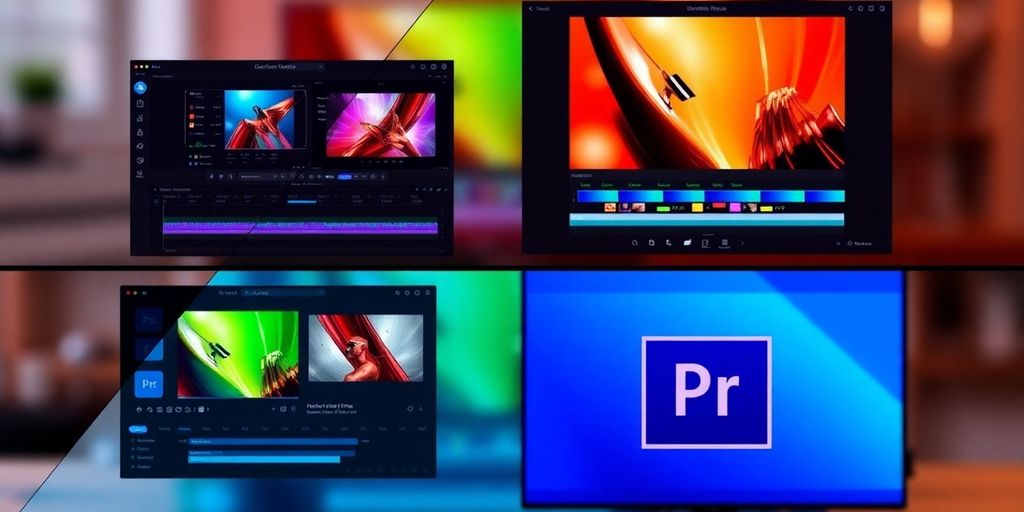
Choosing the right video editing software shapes everything — your workflow, your output quality, your learning curve, and your long-term costs. DaVinci Resolve, Final Cut Pro, and Premiere Pro each dominate different segments of the market. Here’s how they actually compare across the dimensions that matter most.
User Interface and Experience
Ease of Navigation
Final Cut Pro is consistently rated the easiest to navigate, with a clean magnetic timeline and tool placement that makes sense to newcomers. DaVinci Resolve’s page-based interface (Cut, Edit, Color, Fairlight, Fusion) is logical once learned but steeper on first encounter. Premiere Pro sits in the middle — familiar to anyone with prior NLE experience, requiring moderate adjustment for beginners.
Customization Options
All three allow workspace customization: DaVinci offers a flexible multi-page layout; Final Cut supports custom keyboard shortcuts and window arrangements; Premiere Pro’s panel system is the most reconfigurable, letting experienced editors build highly personalized environments for specific workflows.
Learning Curve
DaVinci Resolve has the steepest curve due to the depth and breadth of its tools. Final Cut Pro is most accessible for beginners — especially those already in the Apple ecosystem. Premiere Pro falls between the two; prior editing experience accelerates adoption significantly.
“The user experience is the often-overlooked differentiator in video editing software. A well-designed interface doesn’t just look good — it accelerates creative decisions and reduces the mental overhead of editing.”
Performance and Speed
Rendering Times
Final Cut Pro 11 renders complex timelines approximately five times faster than Adobe Premiere Pro 25 — a significant advantage for high-volume production. DaVinci Resolve 19.1 is roughly twice as fast as Premiere for comparable tasks. Both Final Cut and DaVinci benefit from Apple Silicon optimization; Premiere Pro has improved but remains the slowest of the three on equivalent hardware.
Software Stability
Final Cut Pro is highly stable on Mac — crashes are rare in normal use. DaVinci Resolve can be demanding, particularly for GPU-intensive tasks like color grading on underpowered machines. Premiere Pro has improved stability significantly over recent years, though format compatibility issues occasionally remain.
Hardware Requirements
Final Cut Pro is optimized for Apple hardware and shines on M1/M2/M3 Macs. DaVinci Resolve requires a strong GPU for color work — the free version is CPU-usable but the Studio version fully leverages GPU acceleration. Premiere Pro is more hardware-agnostic but benefits meaningfully from high-end CPU and GPU combinations.
Editing Features and Tools

Multicam Editing
All three handle multicam well — switching angles, syncing by audio or timecode, and building seamless multi-angle sequences. DaVinci Resolve and Premiere Pro have historically offered more advanced multicam features for complex productions; Final Cut Pro’s magnetic timeline makes the workflow more accessible for simpler multicam work.
Color Correction Capabilities
DaVinci Resolve is the professional standard for color grading — its dedicated Color page with node-based grading, scopes, and HDR tools is unmatched. Final Cut Pro offers solid color grading presets and an intuitive Color Board. Premiere Pro’s Lumetri Color panel is capable and tightly integrated with the broader Adobe ecosystem, but doesn’t match Resolve’s depth.
Audio Editing Tools
DaVinci Resolve includes Fairlight — a professional-grade DAW embedded directly in the editor, capable of handling full post-production audio without external software. Final Cut Pro provides functional audio tools but lacks advanced mixing depth. Premiere Pro integrates Adobe Sensei AI for auto-captioning, dialogue enhancement, and music remixing — practical AI-assisted features that save meaningful time.
Compatibility and Integration
Supported File Formats
Premiere Pro supports the widest range of file formats natively, making it the safest choice for projects involving footage from many different cameras. DaVinci Resolve handles RAW formats exceptionally well — essential for high-end cinematography workflows. Final Cut Pro prioritizes Apple formats but handles most standard formats comfortably.
Third-Party Plugin Support
Premiere Pro has the deepest third-party plugin ecosystem — Motion Array, Video Copilot, and many others release Premiere-first or Premiere-exclusive plugins. Final Cut Pro also has a substantial plugin market. DaVinci Resolve has more limited but growing third-party support; its native toolset is deep enough that external plugins are less often necessary.
Cross-Platform Availability
DaVinci Resolve runs on Windows, macOS, and Linux — the most flexible of the three. Premiere Pro works on Windows and macOS. Final Cut Pro is macOS-exclusive, which limits collaboration with Windows-based editors or studios.
Pricing and Value
DaVinci Resolve Studio: $299 one-time. Final Cut Pro: $299 one-time (90-day free trial). Adobe Premiere Pro: ~$20.99/month on annual plan (7-day free trial). DaVinci Resolve free version: full-featured, no time limit — arguably the best free tier in the industry.
Over a three-year horizon, the subscription cost of Premiere Pro exceeds the one-time purchase price of its competitors. For professionals running a steady volume of work, the one-time payment models of DaVinci and Final Cut offer better long-term cost efficiency. Premiere’s subscription does include regular feature updates and Adobe ecosystem integration, which has real value for teams already invested in Creative Cloud.
Community and Support

All three platforms have large, active online communities producing tutorials, courses, and troubleshooting content. DaVinci Resolve’s community is particularly collaborative — Blackmagic Design engages directly with users in forums. Final Cut Pro benefits from Apple’s extensive documentation and a strong YouTube tutorial ecosystem. Premiere Pro has the widest total user base, meaning solutions to almost any problem are searchable.
Updates and Future Prospects
DaVinci Resolve and Premiere Pro both ship monthly updates; Final Cut Pro updates quarterly. All three are actively developed with long-term commercial viability. DaVinci’s recent integration of AI-powered tools and its Fusion VFX compositor signal an expanding scope. Premiere’s push into collaborative cloud workflows and AI-assisted editing positions it for team-based production environments. Final Cut Pro’s Apple Silicon optimization puts it ahead on raw performance for Mac-centric studios.
Frequently Asked Questions
Which software is best for beginners?
Final Cut Pro is the most accessible for beginners, particularly on Mac. DaVinci Resolve’s free version is also excellent for beginners who want to grow into professional-level tools over time.
Is DaVinci Resolve better for color correction?
Yes — DaVinci Resolve’s Color page is the industry standard for professional color grading, used on major film and television productions worldwide.
How do the prices compare?
DaVinci Resolve Studio and Final Cut Pro both cost $299 as a one-time purchase. Premiere Pro costs approximately $20.99/month on an annual plan, which adds up to over $250/year.
Can I use these on Windows?
DaVinci Resolve and Premiere Pro both run on Windows and Mac. Final Cut Pro is macOS-only.
For color work and sheer value, DaVinci Resolve is the choice — and the free version alone beats many paid competitors. For speed and Mac workflow, Final Cut Pro is unmatched. For maximum compatibility, plugin access, and team collaboration, Premiere Pro remains the industry standard. There’s no wrong answer here — try all three before committing to one.

Responses