MacBook Air or MacBook Pro Your Definitive Comparison Guide

At its core, the difference is simple: the MacBook Air is built for ultra-portability and everyday efficiency, while the MacBook Pro is engineered for sustained high performance. Your choice really boils down to whether you prioritise grab-and-go mobility or need the raw power for demanding professional workflows.
Your Quick Guide to Choosing the Right MacBook
Deciding between a MacBook Air and a MacBook Pro is less about which machine is objectively "better" and more about which one is better for you. It’s all about matching the machine to your specific tasks, whether that’s daily writing and browsing or intensive creative projects. This guide will go beyond the spec sheet to give you a clear framework for making the right choice.
Core Philosophies of Each Model
The MacBook Air is all about efficiency and freedom. Its fanless design and lighter chassis make it the perfect companion for students, writers, and anyone who's constantly on the move. It delivers more than enough performance for everyday jobs like browsing, document editing, and video calls, all without giving up its all-day battery life.
The MacBook Pro, on the other hand, is a dedicated workhorse. It features an active cooling system (fans) that allows its more powerful chips to maintain peak performance during demanding, long-running tasks. Think compiling code, rendering 3D models, or exporting high-resolution video. This makes it the clear choice for developers, video editors, and designers whose work pushes a machine to its limits.
The MacBook Air is for tasks you do. The MacBook Pro is for workloads you run. This distinction is key—the Air is for interactive, bursty work, while the Pro excels at sustained, processor-heavy jobs that happen in the background.
To help you see the main differences right away, here’s a quick comparison of what sets these two powerful machines apart.
MacBook Air vs MacBook Pro At a Glance
This table breaks down the fundamental differences between the two lineups, helping you quickly see which one aligns better with your needs.
| Feature | MacBook Air | MacBook Pro |
|---|---|---|
| Primary User | Students, writers, mobile professionals | Developers, video editors, creative professionals |
| Performance Focus | Efficient power for everyday tasks | Sustained peak performance for heavy loads |
| Cooling System | Fanless (silent) | Active cooling (fans) |
| Display Quality | Excellent (Liquid Retina) | Superior (Liquid Retina XDR with ProMotion) |
| Portability | Thinner and lighter for maximum mobility | Heavier, designed for stationary power |
| Price Point | More affordable starting price | Higher-end, premium investment |
This table gives you the 10,000-foot view. Now, let's dive into the details that truly matter for your day-to-day experience.
Understanding Core Performance and Thermal Management
When you’re weighing a MacBook Air against a MacBook Pro, performance isn't just about the name of the chip inside. It’s really about how the whole system manages heat and sustains power when you push it. The single biggest difference between these two machines is their thermal design, and that directly dictates what each one can truly handle during demanding work.
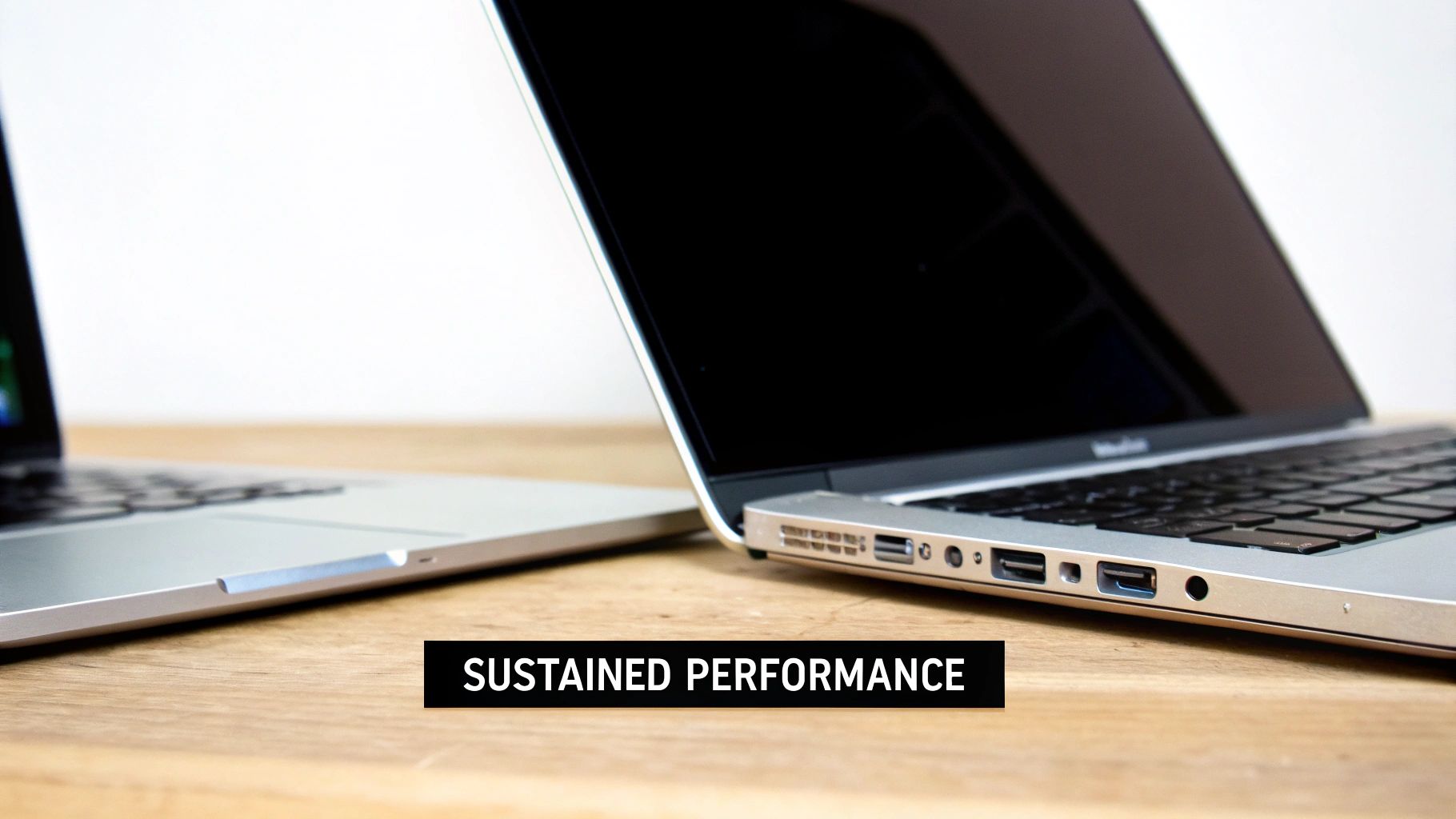
The MacBook Air famously has a fanless design. This engineering choice makes it completely silent, which is a massive plus in quiet places like a library or a shared office. It’s brilliant at handling short bursts of intense work, like launching a big app or applying a few heavy filters to a photo.
But the story changes when you ask it to work hard for more than a few minutes. Without fans, the Air uses its aluminium body to passively get rid of heat. If the chip gets too hot during a long video export or while compiling a large chunk of code, it has to slow itself down to cool off. This is called thermal throttling.
The Fan Advantage in the MacBook Pro
The MacBook Pro, on the other hand, comes equipped with an active cooling system—a fancy term for internal fans. These fans are smart; they spin up during heavy tasks to actively pull heat away from the processor. This allows the chip to run at its peak speed for much, much longer.
This is the absolute key difference for anyone doing serious work. While an Air might start a five-minute video render just as fast, it will slow down dramatically on a thirty-minute export. The MacBook Pro will just keep going at full throttle, finishing the same job in a fraction of the time.
Think of the MacBook Pro's active cooling as a dedicated support crew for its engine. It ensures the chip can run flat-out without overheating, making it the only real choice for any workflow that involves sustained, heavy processing.
Real-World Performance Scenarios
Let’s put this into a practical context. Imagine you're editing a podcast with multiple audio tracks or rendering a 3D model. These aren't quick, bursty jobs; they are sustained workloads that generate a steady stream of heat.
- For the MacBook Air: It will feel snappy during the initial edits. But when you hit "export," you might see performance drop off as the system throttles to manage heat, leaving you waiting longer.
- For the MacBook Pro: It will maintain consistent, high-speed performance from start to finish. The fans will kick in, and your export will be done in the shortest possible time.
This distinction is crucial. If your work involves frequent, long-duration processing, the time you save with a MacBook Pro adds up fast, directly impacting your productivity. If you want to go deeper, you can learn more about the power of Apple Silicon and its impact on performance in our detailed article.
CPU and GPU Core Configurations
Beyond just heat management, the actual chip options create a clear performance ladder. The MacBook Air typically comes with the standard M-series chip, which is incredibly capable for everyday tasks. The MacBook Pro lineup gives you access to the much more powerful Pro and Max versions of these chips.
What does that mean in real terms?
- More CPU Cores: The Pro and Max chips pack more high-performance CPU cores, letting them chew through complex calculations and juggle more tasks at once without breaking a sweat.
- More GPU Cores: A higher GPU core count massively speeds up anything graphics-related. This is a game-changer for video editing, 3D modelling, and professional design work.
- Specialised Media Engines: Pro models include more advanced Media Engines—dedicated hardware for encoding and decoding video. This makes video workflows on a MacBook Pro ridiculously faster.
Ultimately, the choice boils down to the intensity and duration of your typical workflow. For browsing, writing, and light creative tasks, the Air's silent efficiency is perfect. But for anyone whose income depends on finishing demanding jobs quickly and without compromise, the sustained power of the MacBook Pro is a non-negotiable advantage.
Comparing Displays, Speakers, and Keyboards
Raw processing power is only half the story. The way you actually interact with your laptop day-to-day—what you see, hear, and feel—is just as crucial. These are the sensory elements that define the user experience, and while both the MacBook Air and MacBook Pro deliver a premium feel, the differences are significant enough to sway your decision.
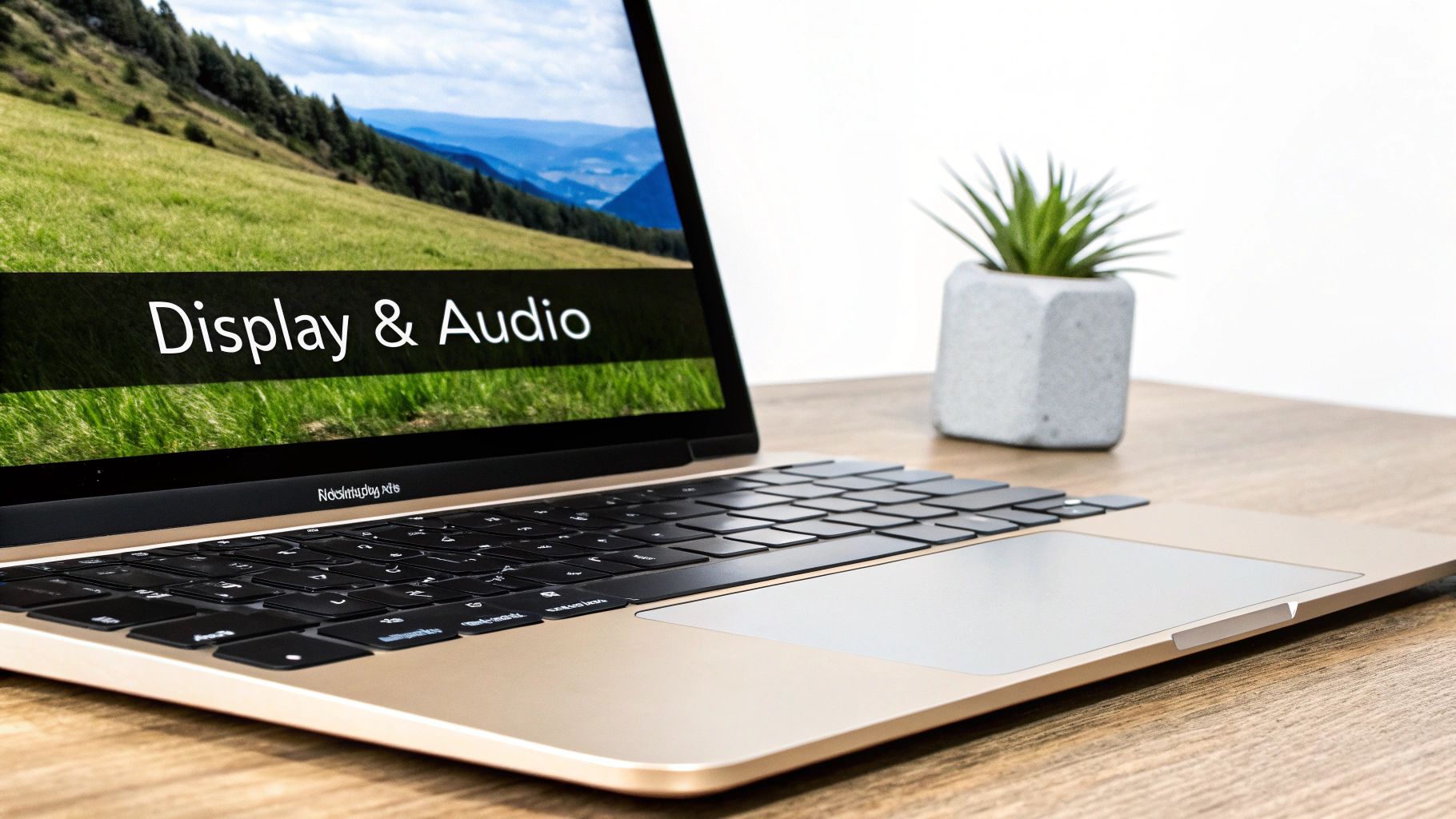
When you place a MacBook Air and a MacBook Pro side-by-side, the display is the first thing you'll notice. Both screens are gorgeous and colour-accurate right out of the box, but they’re built on entirely different technologies aimed at different kinds of users.
The Display Showdown: Liquid Retina vs. Liquid Retina XDR
The MacBook Air comes with a Liquid Retina display. It’s bright, sharp, and supports the wide P3 colour gamut, making it fantastic for daily tasks, streaming films, and even semi-professional photo editing. With a consistent brightness of up to 500 nits, it’s perfectly usable in most indoor settings and holds up well enough outdoors.
But the MacBook Pro features a far superior Liquid Retina XDR display. This is a huge step up, using mini-LED backlighting to achieve a level of contrast and brightness the Air just can’t touch.
Here's what really sets the Pro's display apart:
- Extreme Brightness: It hits 1000 nits of sustained, full-screen brightness and can peak at an incredible 1600 nits for HDR content. For creative pros mastering HDR video or photos, this is a game-changer. It shows you exactly what your work will look like.
- ProMotion Technology: The Pro’s screen has an adaptive refresh rate that goes all the way up to 120Hz. This makes everything from scrolling through websites to scrubbing a video timeline feel buttery smooth and incredibly fluid. The Air is locked at a standard 60Hz.
For the average person, the MacBook Air's display is more than excellent. But for anyone whose work depends on visual fidelity, colour accuracy, and dynamic range—or for those who just want the absolute smoothest experience—the MacBook Pro’s XDR display is a massive upgrade.
Audio and Microphone Quality
The audio experience follows a similar good-versus-great pattern. The MacBook Air has a very respectable four-speaker sound system that delivers clear, balanced audio for music and video calls. Its three-mic array with directional beamforming also does a solid job of picking up your voice clearly.
The MacBook Pro, however, takes it to another level with a high-fidelity six-speaker sound system featuring force-cancelling woofers. This setup produces a much richer, deeper sound with genuinely impressive bass, creating a far more immersive experience for watching films or editing audio. It also boasts a "studio-quality" three-mic array that provides superior noise cancellation and vocal clarity, making it a viable option for recording voiceovers without needing external gear. If you're building out a workspace, you can learn more about how to optimise your setup when using an external monitor with a laptop to get the most out of your machine's capabilities.
Keyboards and Trackpads: A Shared Excellence
Thankfully, some things don't require a difficult choice. Both the MacBook Air and MacBook Pro come with the same fantastic Magic Keyboard and the industry-leading Force Touch trackpad.
The typing experience is comfortable, responsive, and reliable on both models, complete with a full-height function row and Touch ID for secure, one-touch logins. This is a huge win for users, as it means you don't have to compromise on the fundamental tactile experience, no matter which machine you choose. Your decision can stay focused on the bigger differences in performance, display, and audio.
Connectivity, Portability, and Real-World Battery Life
Beyond the raw power and fancy screens, the day-to-day reality of using a laptop often boils down to three simple things: ports, weight, and how long the battery actually lasts. These are the practical differences that define your workflow with a MacBook Air or Pro, determining whether you'll be living a life of dongles or enjoying built-in convenience.
The physical design of each machine really tells you what it's for. The MacBook Air is engineered for motion, while the MacBook Pro is built as a more self-sufficient, powerful workstation that just so happens to be portable.
A Tale of Two Port Selections
The port situation is one of the clearest lines in the sand between these two models. The MacBook Air fully embraces minimalism, usually giving you two Thunderbolt / USB-C ports and a MagSafe charger. If you live your life in the cloud and connect to everything wirelessly, that's often plenty.
But the MacBook Pro is made for professionals who need more, and it shows. It comes with a much more generous selection of ports:
- An HDMI port for plugging straight into external monitors, TVs, and projectors without needing an adapter.
- An SD card slot, a godsend for photographers and videographers who need to offload files directly from their cameras.
- Multiple Thunderbolt / USB-C ports, giving you way more flexibility for all your peripherals.
This isn't a small detail; it's a workflow decision. If your job involves constant presentations or daily photo dumps, the Pro's built-in ports remove a ton of friction and cut down on the accessories you have to lug around. For Air users, a multiport hub or dongle becomes an essential, though manageable, part of the kit.
Think about your daily routine. If you're constantly fumbling for an adapter just to connect a monitor or an SD card, the MacBook Pro's integrated ports are a massive quality-of-life upgrade that streamlines your whole setup.
The Weight of Your Daily Commute
Portability is the MacBook Air's calling card. Weighing in at around 1.24 kg (2.7 pounds), it feels noticeably lighter than its Pro sibling. While the 14-inch MacBook Pro, at roughly 1.6 kg (3.5 pounds), is hardly a brick, that difference is tangible when it's sitting in your backpack all day.
That nearly 400-gram difference matters most to people who are always on the move—students trekking across campus, consultants bouncing between client sites, or writers hopping from café to café. The Air’s slim, tapered design makes it a breeze to slip into any bag, reinforcing its identity as the ultimate grab-and-go machine. The choice here is simple: if every gram counts, the Air has the clear edge.
Real-World Battery Endurance
Apple’s battery life claims are always impressive, but real-world use tells a more nuanced story. Both models offer fantastic all-day endurance for light tasks, but how they perform under heavy strain is where they really diverge.
| Usage Scenario | MacBook Air (Approximate) | MacBook Pro (Approximate) |
|---|---|---|
| Light Web Browsing | 15-18 hours | 18-22 hours |
| Continuous Video Playback | 12-15 hours | 15-18 hours |
| Heavy Workload (Coding) | 6-8 hours | 8-10 hours |
The MacBook Pro often pulls ahead, not just because it has a physically larger battery, but because its more efficient Pro-level chips handle demanding work with less power drain. A developer compiling code or a designer rendering a project will find the Pro not only finishes faster but also has more juice left in the tank afterwards.
This means that while both MacBooks can easily cruise through a day of emails and writing, the Pro offers more confidence for power users working away from an outlet. For those who travel but still need to tackle intensive jobs, looking into options like the best power banks for laptops with USB-C can provide extra peace of mind—especially for Air users pushing their machine to its limits. Ultimately, your choice depends on whether you need a marathon runner for everyday tasks (Air) or an endurance athlete for professional workloads (Pro).
Matching the Right MacBook to Your Workflow
The technical specs are one thing, but figuring out how they plug into your daily grind is what really counts. The best way to settle the MacBook Air versus MacBook Pro debate is to get honest about your actual workflow. Let’s move past the theory and get into practical, role-based recommendations to help you pick the machine that will actually make you more productive.
This decision tree cuts right to the heart of the matter: does your work demand ultimate mobility, or does it thrive on raw creative power?
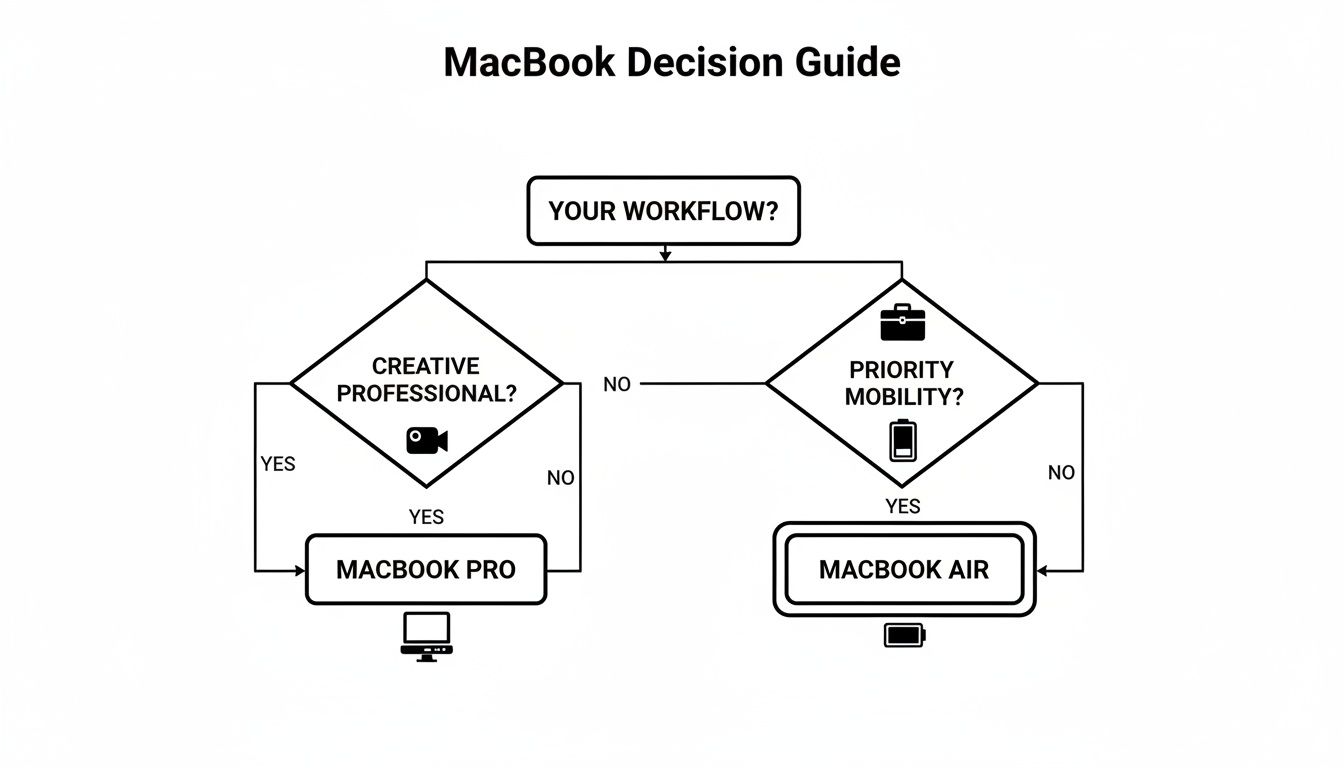
As the flowchart illustrates, it's a pretty clear split. Users who are always on the move will naturally gravitate towards the Air for its portability and marathon battery life. On the other hand, creative pros lean towards the Pro for its beefier performance and expanded port selection.
To make this even clearer, let's break down the ideal MacBook for different types of users and workflows. The following table gives you a quick-glance guide to our top recommendations.
Recommended MacBook Configuration by User Profile
| User Role | Recommended Model | Key Justification |
|---|---|---|
| Student / Writer | 13-inch MacBook Air (M3) | Unbeatable portability and silent, fanless operation are perfect for lectures and libraries. More than enough power for research, writing, and presentations. |
| Software Developer | 14-inch MacBook Pro (M3 Pro) | The active cooling system is crucial for preventing throttling during long code compilations. Extra CPU cores and memory handle virtual machines and containers with ease. |
| Designer / Video Editor | 16-inch MacBook Pro (M3 Max) | The M3 Max chip's powerful GPU and dedicated Media Engines are non-negotiable for 4K/8K video editing and 3D rendering. The larger, superior XDR display is essential for colour-critical work. |
Each of these recommendations is built on years of seeing what works—and what doesn't—in the real world. A small upgrade in the right area can make a huge difference in your day-to-day productivity and enjoyment of the machine.
For Students and Writers
If your day is filled with writing essays, juggling dozens of browser tabs for research, joining online lectures, and whipping up presentations, the MacBook Air is your perfect companion. Its greatest strengths are its lightweight design and phenomenal battery life, making it ideal for a life bouncing between campus, the library, and coffee shops.
Its fanless design means it’s completely silent. That’s a massive plus in quiet places where you don’t want to be that person with a whirring laptop fan. The standard M-series chip has more than enough horsepower to chew through all your productivity apps without breaking a sweat.
- Recommended Model: 13-inch MacBook Air
- Suggested Configuration: M3 chip, 16GB of Unified Memory, 512GB SSD.
- Why This Configuration: Upgrading to 16GB of memory is the single most important investment you can make. It ensures smooth multitasking when you have a mountain of apps and tabs open and future-proofs the machine for any demanding software your courses might throw at you. The 512GB SSD gives you enough breathing room for documents and projects without needing an external drive right away.
For Software Developers and Coders
When it comes to software development, the choice gets a bit more complicated. Sure, a MacBook Air can handle light coding and web development just fine. But the moment you start compiling large codebases or spinning up virtual machines and containers, you’ll feel the strain. This is exactly where the MacBook Pro and its active cooling system become indispensable.
The Pro’s ability to maintain peak performance during long compilations can genuinely save you valuable time every single day. The more potent CPU and GPU options also speed up local development environments and simulators, leading to a much smoother workflow.
For developers, time is the ultimate currency. A MacBook Pro that shaves minutes off every build cycle quickly pays for itself in productivity and sheer reduction of frustration.
- Recommended Model: 14-inch MacBook Pro
- Suggested Configuration: M3 Pro chip (12-core CPU), 18GB of Unified Memory, 1TB SSD.
- Why This Configuration: The M3 Pro chip delivers the CPU cores you need to tackle demanding compilations and run multiple services at once. 18GB of memory is a solid baseline for running Docker, VMs, and multiple IDEs simultaneously. A 1TB SSD is highly recommended to handle large projects, SDKs, and OS images without constantly fighting for space.
For Designers and Video Editors
Creative work—high-resolution photo editing, complex graphic design, and especially video production—demands the absolute best performance and display quality. For these roles, the MacBook Pro is really the only game in town. Its Liquid Retina XDR display with ProMotion is critical for accurate colour grading and properly viewing HDR content.
The Pro's advanced Media Engines are a game-changer, dramatically accelerating video encoding and decoding. This slashes export times for 4K and even 8K projects. Plus, the active cooling ensures the machine never throttles during long renders, giving you a consistent and predictable workflow you can rely on. If your work falls into this category, checking out the best apps for content creators can help you build the perfect software toolkit for your new machine.
- Recommended Model: 16-inch MacBook Pro
- Suggested Configuration: M3 Max chip (14-core CPU, 30-core GPU), 36GB of Unified Memory, 1TB SSD.
- Why This Configuration: The M3 Max chip, with its high GPU core count, is non-negotiable for serious video and 3D work. 36GB of memory gives you the headroom to work with huge files in apps like After Effects, Photoshop, and DaVinci Resolve without the system grinding to a halt. The larger 16-inch screen also provides a much-needed creative canvas, making an external display less of an immediate necessity.
Analysing Price Value and Future-Proofing Your Investment
Deciding between a MacBook Air and a MacBook Pro is more than a feature comparison; it's a significant financial decision. The best way to approach it is to think of it as a long-term investment, which helps clarify which model offers the best value for your needs over the next few years. The sticker price is only the beginning of the story.
The real question is about longevity versus cost. Is it smarter to spend more now on a MacBook Pro, knowing its power will keep up with demanding software for years to come? Or does it make more sense to buy the more affordable MacBook Air and plan to upgrade it sooner? There’s no single right answer—it all comes down to your workflow.
Finding the Sweet Spot in Configurations
Base models look tempting with their low entry price, but they rarely offer the best long-term value. The single most important upgrade to consider is unified memory (RAM). Because it’s soldered to the logic board and can't be changed later, bumping up to 16GB is the best future-proofing move anyone can make. It ensures smooth multitasking today and gives you the headroom for more complex applications tomorrow.
For storage, 512GB has become the modern sweet spot. This gives you enough room for your core applications and active project files without constantly needing to offload data to an external drive or the cloud, which can really break your flow.
Investing in memory and adequate storage when you buy is far more valuable than splurging on a slightly faster processor. In day-to-day use, a machine with more RAM will feel faster for much longer than a base model with a top-tier chip.
The Professional's Choice in the Dutch Market
In professional circles, the MacBook Pro is often seen as the default tool for the job, and market data from the Netherlands backs this up. Here, the 16-inch MacBook Pro from 2021 holds a commanding 17.78% market share, with the 14-inch model close behind at 15.76%. This trend points to a clear preference for the Pro's sustained performance among Dutch professionals and creators. The pricing reflects this premium position, too; the entry-level 14-inch M3 Pro MacBook Pro starts at €2,549 on Apple's Dutch site, including 21% VAT, which is a significant outlay. You can explore more about these trends in MacBook adoption to see how the market is shifting.
This preference isn’t just about having the most power available. It's a calculated investment in productivity. For professionals whose income depends on performance—like video editors or developers—the time saved by faster rendering and compiling quickly justifies the higher initial cost.
Ultimately, future-proofing your Mac means aligning your purchase with where you see your work going. If you expect your projects to become more demanding over the next three to five years, the extra cost of a MacBook Pro today is a wise investment in your future efficiency. If your needs are stable and centred on portability and everyday tasks, the MacBook Air provides outstanding value and a longer runway before you'll even need to think about an upgrade.
Answering Your Key MacBook Questions
Even after weighing up the specs, you probably have a few questions still rattling around. Choosing between a MacBook Air and a Pro is a big investment, so let's clear up some of the most common sticking points to help you make your final decision.
Is 8GB of RAM Enough for a Modern MacBook?
For the basics—browsing the web, writing documents, and streaming video—8GB of RAM will get the job done. It’s perfectly fine for everyday tasks and won't cause any hiccups.
But if you’re someone who juggles a dozen apps at once, works with hefty files, or just wants to make sure your machine stays fast for years to come, the upgrade to 16GB is a no-brainer. The memory in Apple Silicon MacBooks is soldered to the chip, meaning you can't upgrade it later. Getting this right from the start is crucial for long-term performance and satisfaction.
Does the ProMotion Display Really Make a Difference?
In a word, yes. The ProMotion display on the MacBook Pro, with its adaptive 120Hz refresh rate, makes everything feel incredibly smooth. Scrolling through websites, animations, and even just moving the cursor feels more fluid and responsive.
While anyone can appreciate the buttery-smooth experience, it’s most noticeable for creative professionals, especially video editors who spend their days scrubbing through timelines. The standard 60Hz display on the Air is still fantastic, but ProMotion is a genuine premium feature that elevates the entire user experience once you've tried it.
For many, ProMotion is one of those features you don't think you need until you've used it—and then it's hard to go back. It adds a layer of polish to every interaction.
Can I Use the MacBook Air for Photo or Video Editing?
Absolutely. The MacBook Air is surprisingly capable for light to moderate photo and video work. It handles 1080p projects and even some basic 4K editing without breaking a sweat, making it a great tool for creating social media content or editing personal videos.
However, when you step into the world of professional workflows—think long-form 4K video, complex colour grading, or heavy visual effects—the MacBook Pro is in a different league. Its active cooling system means it can sustain peak performance during long exports without throttling. Plus, its more powerful GPU options will slash your rendering times, saving you precious hours.
Which MacBook Is Better for a University Student?
For the vast majority of university students, the MacBook Air is the ideal choice. It’s the perfect blend of everything a student needs: a lightweight design for carrying around campus, incredible battery life that lasts through lectures and library sessions, and more than enough power for writing essays and conducting research.
The only time a student should consider a MacBook Pro is if they're enrolled in a highly specialised course that demands intensive software. We're talking about advanced computer science, 3D modelling, or professional-grade video production. For almost everyone else, the Air is the smarter, more practical pick.
At People & Media B.V., we believe in making informed choices that support your growth and creativity. Whether you're a student, professional, or lifelong learner, we invite you to explore our platform for more insights and tools to help you on your journey. Discover our courses and articles at peopleandmedia.com.

Responses