Modem or Router What’s the Difference for Your Home Network

When you're trying to figure out if you need a modem or router, it's helpful to remember their very different jobs. The modem is your gateway to the internet, while the router is what creates your local network so all your devices can get online. You almost always need both, whether they’re two separate boxes or a single hybrid unit.
What Is the Difference Between a Modem and Router
To get a home network running smoothly, you have to know what each piece of gear actually does. I like to use a simple analogy: think of your internet connection like the water supply to your house.
The modem is the main pipe coming from the city's water line (that’s your Internet Service Provider, or ISP) and connecting to your home. It brings the service in from the outside world. The router, on the other hand, is the plumbing system inside your house—it takes that main supply and sends it out to every tap, shower, and appliance.
Without a modem, you have no internet connection at all. And without a router, that connection is stuck serving only a single device plugged in with an Ethernet cable, and you definitely won't have any Wi-Fi.
Core Functions and Purpose
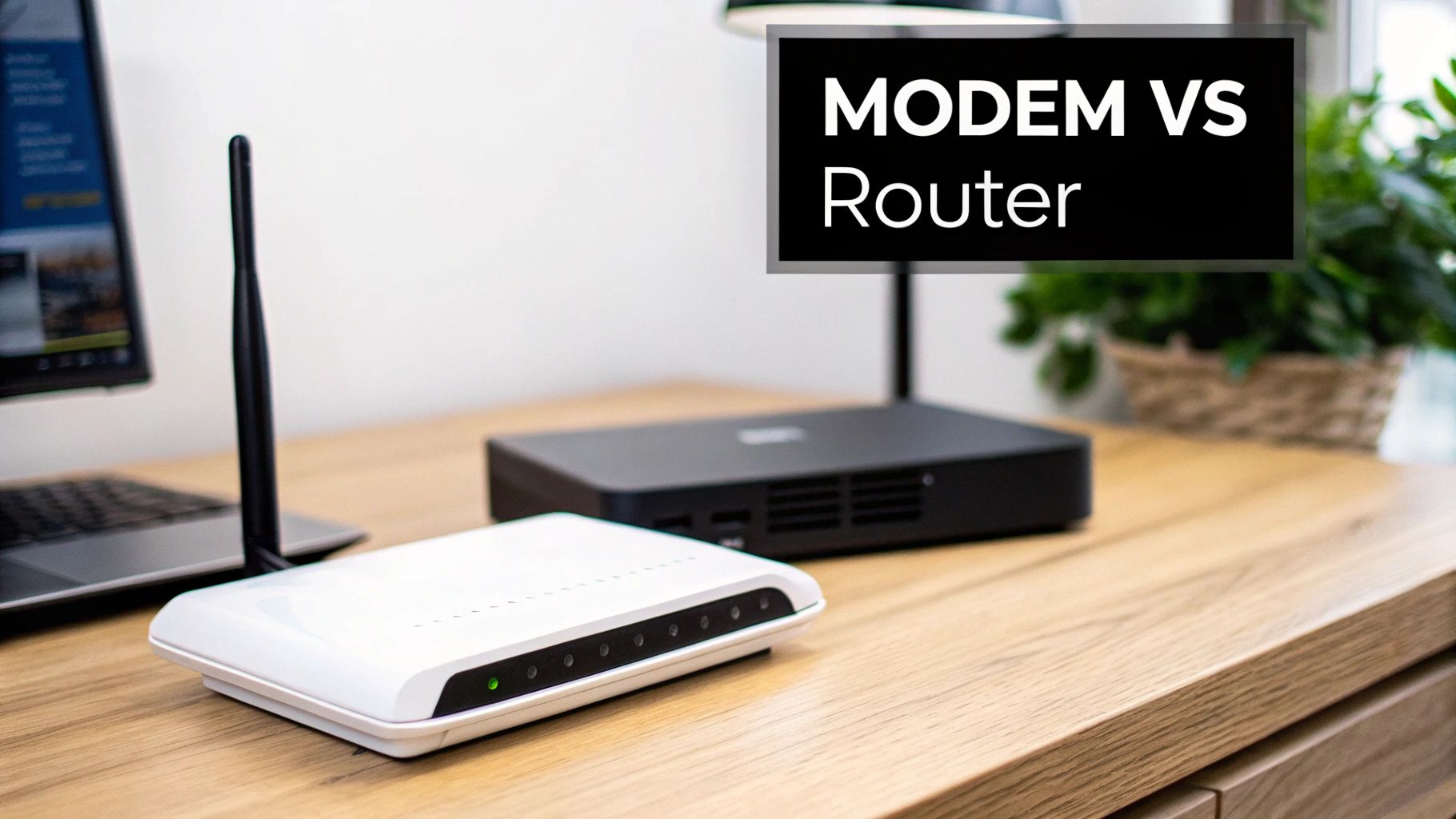
At its heart, a modem's job is all about translation. It takes the signal from your ISP—whether it's coming through a cable, fibre, or phone line—and converts (or modulates/demodulates, which is where the name "modem" comes from) it into a digital signal your computer can understand.
A router's main role is completely different: it’s all about distribution and management. It takes that single internet connection from the modem and smartly shares it among all the different devices you own, like your laptop, phone, TV, and smart speakers.
Here are the key distinctions:
- Connectivity: A modem offers a single, wired internet connection point. A router creates a wireless network (Wi-Fi) and usually provides multiple wired Ethernet ports as well.
- IP Addresses: Your modem is given one public IP address by your ISP, which is your network’s unique address on the global internet. The router then assigns private, local IP addresses to every device connected to it inside your home.
- Security: Routers are a crucial first line of defence. They come with built-in firewalls to protect your network from outside threats. Modems, on their own, offer very little protection.
To make things even clearer, this table breaks down the fundamental differences.
Modem vs Router at a Glance
Here’s a quick summary of how these two essential devices differ in function and purpose.
| Characteristic | Modem | Router |
|---|---|---|
| Main Function | Connects to the internet | Creates a local network |
| Device Connection | One wired device | Multiple wired & Wi-Fi devices |
| Wi-Fi Capability | No | Yes |
| Primary Role | Translates ISP signal | Manages and distributes traffic |
| Security Feature | Minimal | Built-in firewall |
As you can see, they aren't interchangeable—they're two halves of a whole, each with a specific, vital role in getting you online and keeping you connected.
Defining the Core Functions of Your Network Hardware
To really get your head around the modem vs. router puzzle, it's best to think of them as two specialists on the same team. They both have distinct, non-overlapping jobs, but they work together to get the internet into your home and spread it around to all your gadgets.
Think of your modem as a dedicated translator. Its only job is to understand the signal your Internet Service Provider (ISP) sends down the line—whether that’s through a cable, fibre optic, or an old-school DSL phone line. The modem takes that signal and converts it into a digital format a computer can use, creating one single, direct pipeline to the internet.
The Modem: A Direct Gateway to the Internet
A modem is your network's front door. It takes the raw data feed from your ISP and makes it understandable. Without one, your home is completely cut off from the online world, no matter how fancy your other gear is.
This single-minded purpose is what makes a modem so critical. It doesn't create a Wi-Fi network or juggle multiple devices; it just opens the gate. This role is fundamental to how entire countries get online.
A modem’s job is singular and essential. It bridges the gap between your ISP’s vast network and your personal devices, acting as the sole translator for your internet connection.
The Router: A Local Network Manager
The router picks up right where the modem leaves off. It’s like a smart traffic controller, taking that one internet connection from the modem and creating a private, local network for your home or office. This is the device that creates the Wi-Fi signal you connect to every day.
By creating this local network, the router lets all your devices—laptops, smartphones, smart TVs, and game consoles—share that single internet connection at the same time. It manages all the data flying back and forth, giving each device its own local IP address to avoid mix-ups and make sure everything gets where it needs to go.
This traffic management is absolutely vital in a modern home. Just look at the Netherlands. By late 2025, median fixed broadband speeds hit 211.33 Mbps, and the country had a staggering 26.9 million mobile connections—way more than its population. These numbers paint a clear picture of just how many devices are fighting for a stable connection, a job handled entirely by the router. You can explore more about Dutch connectivity trends to see just how much this demand is growing.
Right then, let's get past the basic dictionary definitions. When you really get down to it, the modem and router are two completely different beasts. Understanding how they handle your data, approach security, and even how they get along with your Internet Service Provider (ISP) is crucial for a fast, reliable, and safe home network.
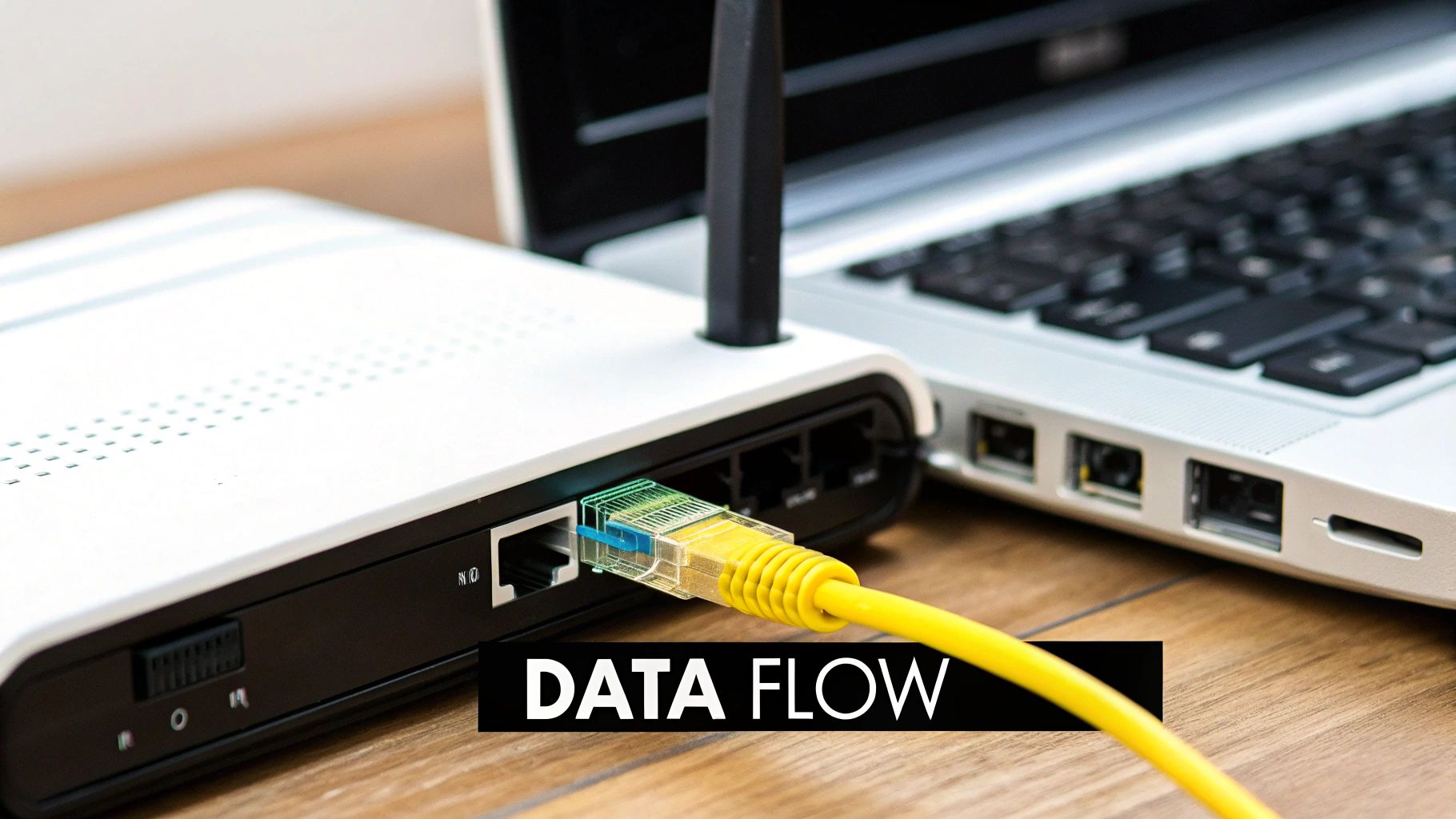
Think of the internet coming into your home like a package delivery. Data follows a very specific route: from your ISP, to the modem for unpacking, and then to the router to be sent to the right room. This flow really highlights just how specialised their jobs are.
H3: Understanding the Data Flow
Let's say you're about to stream a film. Your request starts on your laptop, zips over to the router, which then passes the message to the modem. The modem is the translator; it takes that digital request and converts it into a signal that can travel over your ISP's specific network, whether that’s a cable line or a fibre optic one. Off it goes to the internet.
When the film's data starts streaming back, the whole process happens in reverse. The modem catches the signal from the ISP, translates it back into a standard digital format, and hands it off to the router. The router, acting as a smart traffic controller, sends that data stream directly to the laptop that asked for it. This is why your phone can keep getting social media updates without interrupting your film—the router knows where everything needs to go.
H3: How Security Responsibilities Differ
When it comes to keeping your network safe, the router does pretty much all the heavy lifting. A modem is just a translator, so it has almost no security features to speak of. It basically creates a single, wide-open door to the internet.
Your router, on the other hand, is the digital security guard for your entire home. It creates a firewall, a barrier between the public internet and your private network. This firewall constantly inspects incoming traffic, blocking anything that looks malicious or is trying to gain unauthorised access before it ever gets near your computer or smartphone. It’s what keeps your devices shielded from direct exposure.
The router is your first and most important line of defence against online threats. While a modem connects you to the internet, the router is what secures that connection for your entire home.
H3: Navigating ISP Compatibility
Your relationship with your ISP is another place where these two devices diverge significantly. Providers are incredibly strict about the modems you can connect to their network. Because a modem has to "speak" their specific tech language (like DOCSIS for cable), ISPs keep a very tight list of approved models. If you plug in an unapproved modem, it simply won't work. End of story.
Routers are a different ball game entirely. They give you much more freedom. Since a router just needs the standardised internet signal that the modem provides, pretty much any router will work. This is great because you can pick one that perfectly suits your needs—maybe you're a gamer who needs ultra-low latency, or you have a large house and need massive Wi-Fi coverage, or you want advanced parental controls. Your ISP has no say in that decision.
To make these distinctions crystal clear, let's break it down in a table.
H3: Functional Breakdown Modem vs Router
This table lays out the core differences side-by-side, helping you see exactly where each device fits into your home network puzzle.
| Feature | Modem | Router | Key Takeaway for Users |
|---|---|---|---|
| Data Role | Translates the incoming ISP signal | Distributes the translated signal locally | The modem brings the internet into your home; the router spreads it around to your devices. |
| Security Role | Offers almost no protection | Provides a firewall and creates a private network | For real security, a quality router is non-negotiable. |
| ISP Control | Strictly controlled by your ISP | Almost complete user freedom of choice | Always check your ISP’s approved list for modems, but feel free to choose any router you like. |
Ultimately, a modem is a necessity dictated by your ISP, while the router is your opportunity to customise and secure your network experience.
So, what about those all-in-one boxes your Internet Service Provider (ISP) is so keen on? You'll often hear them called modem-router combos or "gateways," and they bundle the job of a modem and a router into a single piece of kit. For a lot of people, this is the default option, and it's easy to see why.
The biggest draw is simplicity. With a gateway, you've got a straightforward setup, fewer cables creating a mess behind your desk, and only one company to call when things go wrong. It’s no surprise that a whopping 71% of households get their gear straight from their ISP. Instead of playing detective with two different devices, you’ve just got one box to worry about.
Convenience vs. Control: The Big Trade-Off
But that simplicity doesn't come for free. While a gateway is a breeze to manage, it puts a leash on what you can actually do with your network. If you want to get into advanced settings like parental controls, setting up a separate network for guests, or using Quality of Service (QoS) to give your gaming console priority, you'll find the options on a gateway are often watered-down compared to a proper standalone router.
Even more, you're completely at the mercy of your ISP for firmware updates. These can be painfully slow to arrive, potentially leaving your network exposed to security holes for longer than you'd like. And if one part of the device kicks the bucket—say, the modem function fails—the entire unit is a paperweight. That’s a costly replacement if you own the device yourself.
A modem-router combo definitely streamlines your setup, cutting down on clutter and support headaches. But you’re often sacrificing performance, customisation, and the freedom to adapt as your needs change.
When a Gateway Just Makes Sense
Look, a combo unit isn't a bad choice for everyone. It’s a perfectly good option for individuals or families whose internet use is pretty standard—we're talking browsing, emails, and a bit of light streaming. If the thought of tinkering with network settings gives you a headache and you'd rather just have a plug-and-play solution backed by your ISP, a gateway will get you online with minimal fuss.
When You Should Keep Them Separate
On the flip side, if you care about performance and having control over your digital life, separate devices are the only way to go. This approach is a must for:
- Gamers and streamers who can't afford lag and need to manage their bandwidth.
- People working from home who need a rock-solid, secure connection with features like VPN support.
- Smart home builders who are juggling dozens of connected gadgets and need a robust network to handle it all.
Keeping your modem and router separate means you can upgrade one without having to ditch the other. When a new Wi-Fi standard comes out, you can just swap in a new router and keep your perfectly good modem. This is becoming a bigger deal here in the Netherlands and across Europe, where the demand for better routers is exploding as home internet use soars. You can read the full research on the European router market to get a sense of just how fast things are moving.
Choosing the Right Setup for Your Specific Needs
Knowing the difference between a modem and a router is a great start, but the real question is, what does that mean for your home? Getting your setup right depends entirely on how you use the internet. Not everyone needs a bleeding-edge system, but making the wrong choice can lead to a daily dose of digital frustration.
Ultimately, your decision boils down to a classic trade-off: convenience versus performance. This little decision tree can help you visualise which path makes the most sense for your household.
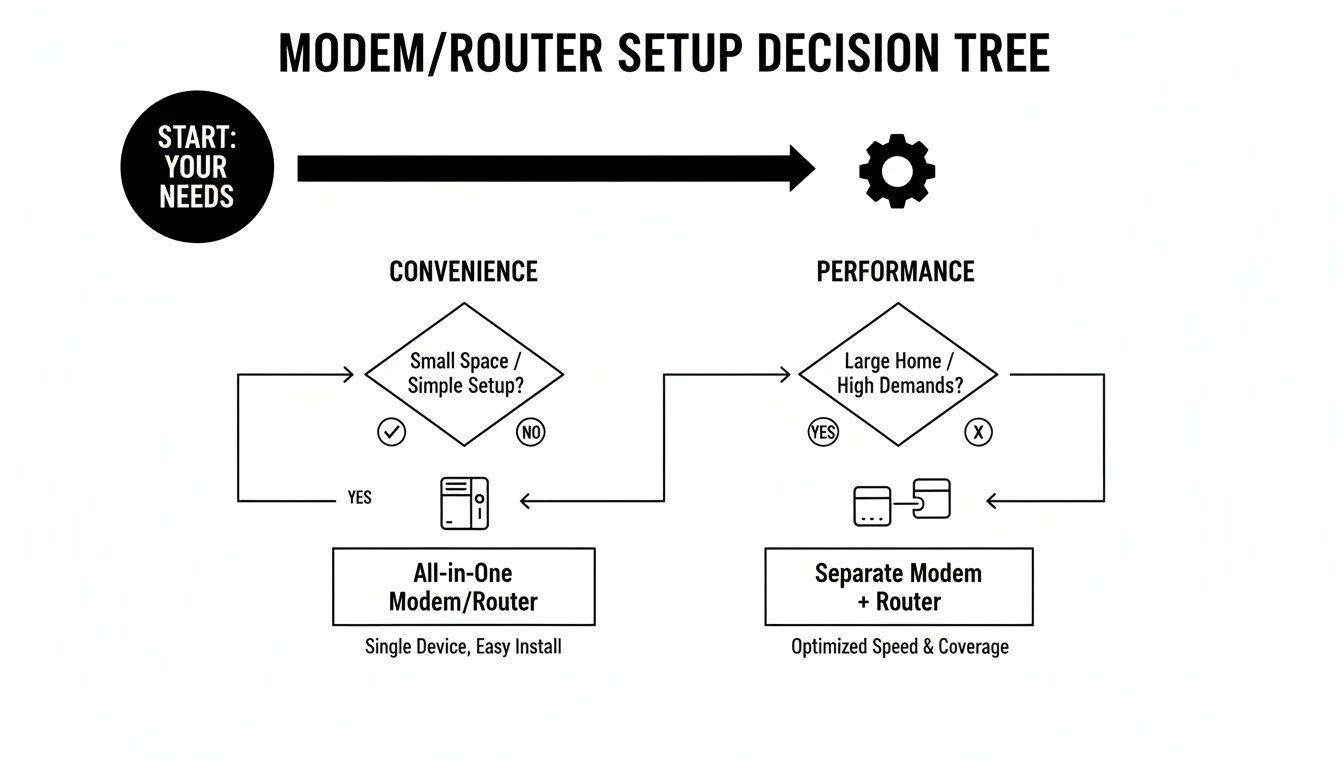
As the flowchart shows, if you just want something that works with minimal fuss, an all-in-one gateway is probably your best bet. But if performance is what you're after, keeping the devices separate is the way to go.
Scenarios for Home and Office Use
Let’s break this down into a few common scenarios. See which one sounds the most like you, and we’ll figure out the best network configuration.
The Everyday Streamer and Browser
If your online life is mostly about kicking back with Netflix, scrolling through social media, and firing off emails, then the modem-router combo (gateway) your ISP offers is likely all you need. It’s a simple, plug-and-play solution that gets you online fast and gives you one number to call if something goes wrong.
The Dedicated Remote Worker
For anyone working from home, a rock-solid connection isn't just a nice-to-have; it's essential. This is where separating your modem and router really starts to shine. A dedicated, high-quality router gives you access to much stronger security features, like a more robust firewall and built-in VPN support, which are critical for protecting sensitive company data. You can learn more in our guide on discovering the best VPN for your needs to lock down your network.
A separate, high-quality router provides the stability needed for seamless video calls and secure access to company networks, making it a wise investment for any remote professional.
The Competitive Gamer or Smart Home Builder
This is where performance and control become paramount. If you’re a competitive gamer, you need a router with advanced Quality of Service (QoS) features. QoS is a game-changer, letting you prioritise your gaming traffic to keep lag to an absolute minimum when every millisecond counts.
Likewise, a modern smart home can easily have dozens of devices clamouring for bandwidth. A powerful, standalone router ensures every smart light, speaker, and camera stays connected without dragging your main devices down. This need for powerful network management is happening on a massive scale, too. In the Netherlands, the data centre market is projected to hit USD 1.14 billion by 2031, a growth entirely dependent on advanced routing to handle immense data loads.
Once you’ve figured out which camp you fall into, you can start looking at specific models. For a deeper dive, check out this excellent guide on how to choose a WiFi router for your home to find your perfect match.
A Practical Guide to Installing Your Network Gear
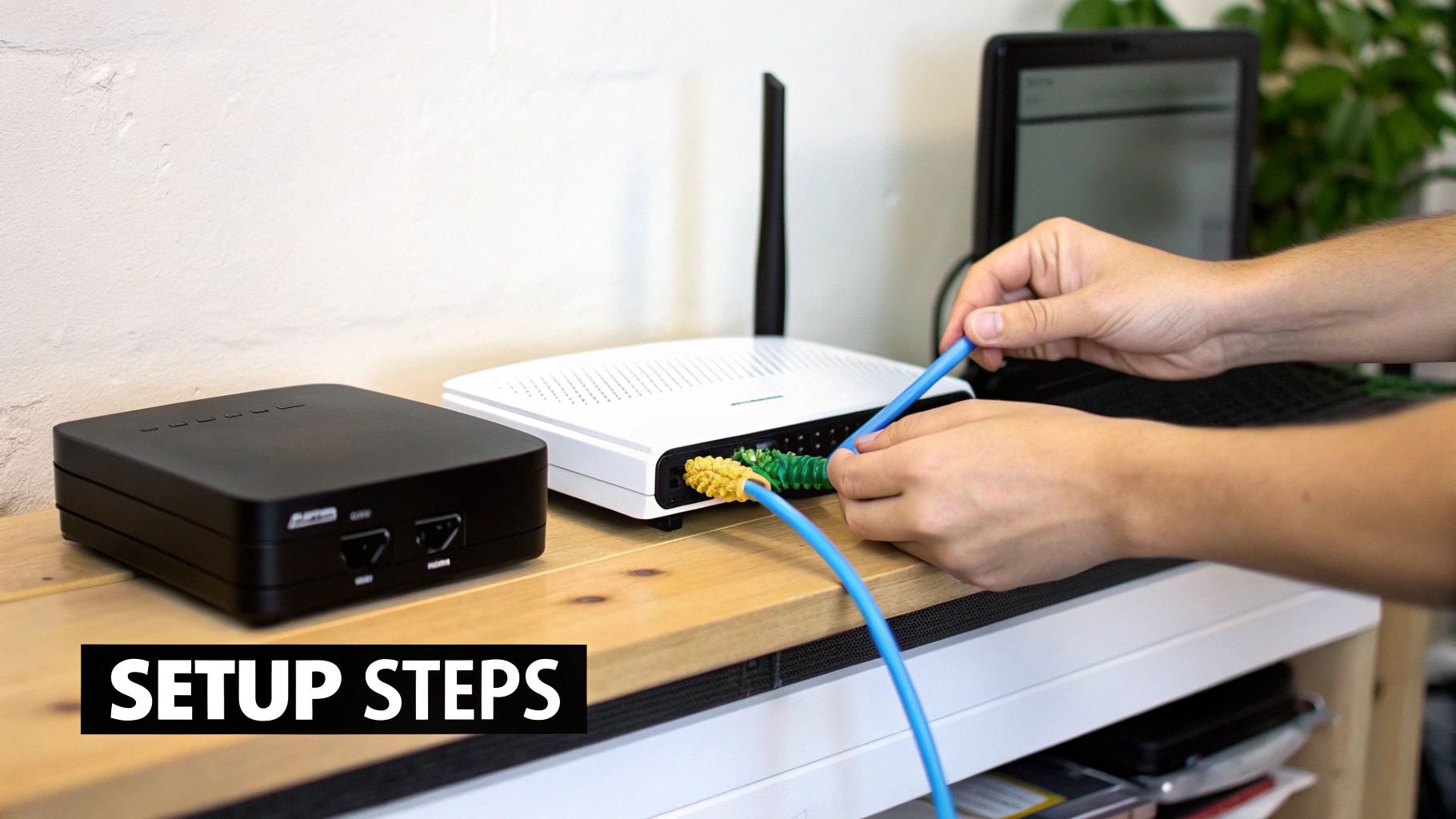
Alright, we’ve covered the theory behind what modems and routers do. Now, let’s get our hands dirty and talk about the practical side of things: buying the right equipment and actually getting it set up for a fast, stable home network.
When you’re picking out a new modem, your first and only stop should be your Internet Service Provider's (ISP) approved device list. Honestly, this part is non-negotiable. Trying to use an unlisted modem is a surefire way to end up with no internet connection at all, since ISPs only allow specific models that work with their network technology.
Choosing a router, on the other hand, is where you get to have some fun and really tailor the network to your needs.
Key Router Features to Look For
- Wi-Fi Standard: You'll want to look for routers that support Wi-Fi 6 (802.11ax) or newer. These standards are miles better at handling lots of devices at once, which is a must-have in any modern smart home.
- Mesh Networking: If you're in a larger home and constantly battling with Wi-Fi dead zones, a mesh system is a brilliant investment. It uses a few different units spread around your house to create one big, seamless network.
- Security: Make sure any router you’re considering supports WPA3. It's the latest security protocol and your best defence against anyone trying to get unauthorised access to your network.
Once you’ve got all your new gear, a solid guide on how to install a new router can be a real lifesaver.
A Simplified Setup Guide
Getting your new system online is usually pretty straightforward if you follow the right steps. Here’s the order I always use:
- Connect the Modem: First, run the coaxial cable from the jack in your wall to the back of your modem. Plug in the power adaptor and give it a few minutes. You're waiting for the status lights to go solid, which tells you it has a stable connection to your ISP.
- Link the Router: Next, grab an Ethernet cable and connect it from the modem’s LAN port to the router’s WAN port (it’s often labelled "Internet").
- Power and Configure: Plug in your router and let it boot up. From your computer or phone, connect to the new Wi-Fi network it creates. From there, you just follow the manufacturer’s instructions to set a strong, unique password.
Pro Tip: Do yourself a favour and change the default network name (SSID) and password right away. Leaving the factory settings is a huge security risk and basically an open invitation for trouble. The process is often simpler than you'd think, much like other common device tasks. For instance, you can see how straightforward these things can be in our guide on how to go about resetting your iPhone to factory settings.
Frequently Asked Questions About Modems and Routers
Even after covering all the bases, a few common questions always seem to surface when people are sorting out their home network. Let's tackle these head-on to clear up any final confusion and help you lock in your decision.
Do I Really Need Both a Modem and a Router?
Yes, for pretty much everyone, the answer is a firm yes. Think of it this way: the modem is your gateway to the internet, translating the signal from your provider into something your home can use. The router then takes that single connection and shares it, creating your own private Wi-Fi network for all your devices.
The only time this isn't the case is when you have a "gateway" device, which is just a fancy name for a modem and router built into one box.
Without a modem, you simply can't get online. Without a router, that internet connection is stuck with one device plugged in via a cable—no Wi-Fi, no connecting your phone, tablet, or smart TV.
Can I Use Any Router with Any ISP?
Generally, yes. Your Internet Service Provider (ISP) doesn't really have a say in which router you use. Since the router plugs into your modem, not directly into their network, you're free to pick whatever you like. Whether you're chasing faster speeds, better coverage for a big house, or advanced security features, the choice is yours.
The modem, however, is a different story. ISPs are very particular about which modems they allow on their network. They maintain a strict list of approved models that are certified to work with their technology. Always, and I mean always, check that list before you go out and buy your own modem.
Should I Buy My Own Gear or Rent from My ISP?
Ah, the classic cost-versus-convenience dilemma. Renting is easy. Your ISP hands you the equipment, setup is usually painless, and if something breaks, you have one number to call. It's no surprise that 71% of households just stick with the hardware their provider gives them.
Buying your own equipment almost always saves you money in the long run. You'll have an upfront cost, but you typically make that back within a year by eliminating the monthly rental fees, all while getting a better-performing, more feature-rich device.
When you own your gear, you’re in the driver's seat. You get access to newer tech, like the latest Wi-Fi standards, and can fine-tune security settings to your liking. Plus, you get to stop paying that endless rental fee that adds up over the years. Of course, if your internet suddenly goes down, it's smart to have a backup plan. To get ready for that possibility, you can learn more about what to do during an internet outage in our detailed guide.
At People & Media B.V., we believe in empowering you with knowledge to make better decisions. Explore our platform for more insights that help you grow and understand the world around you at https://www.peopleandmedia.com.
Responses